

 Deep PDF search
 Full content control
 Text-based PDF indexing
Search inside PDF documents on your WordPress site. Index text-based PDFs from the Media Library and show their content directly in WordPress search results or via a dedicated PDF search form. No external services. No data sharing. Full control.

Exclude private PDFs
Background processing for large files
Short code-based search form
Full-text PDF content search Bulk index & exclude control Rich search results (icon, page, excerpt) Fast & optimized performanceSet it up once, then let search find every PDF instantly.
01
Enable the plugin in seconds.
02
Scan and index all document content.
03
Choose which files appear in search.
04
Place search anywhere on your site.
Designed to fit any site that manages documents.


A quick visual walkthrough of the plugin in action. Replace with real dashboard and search screenshots.
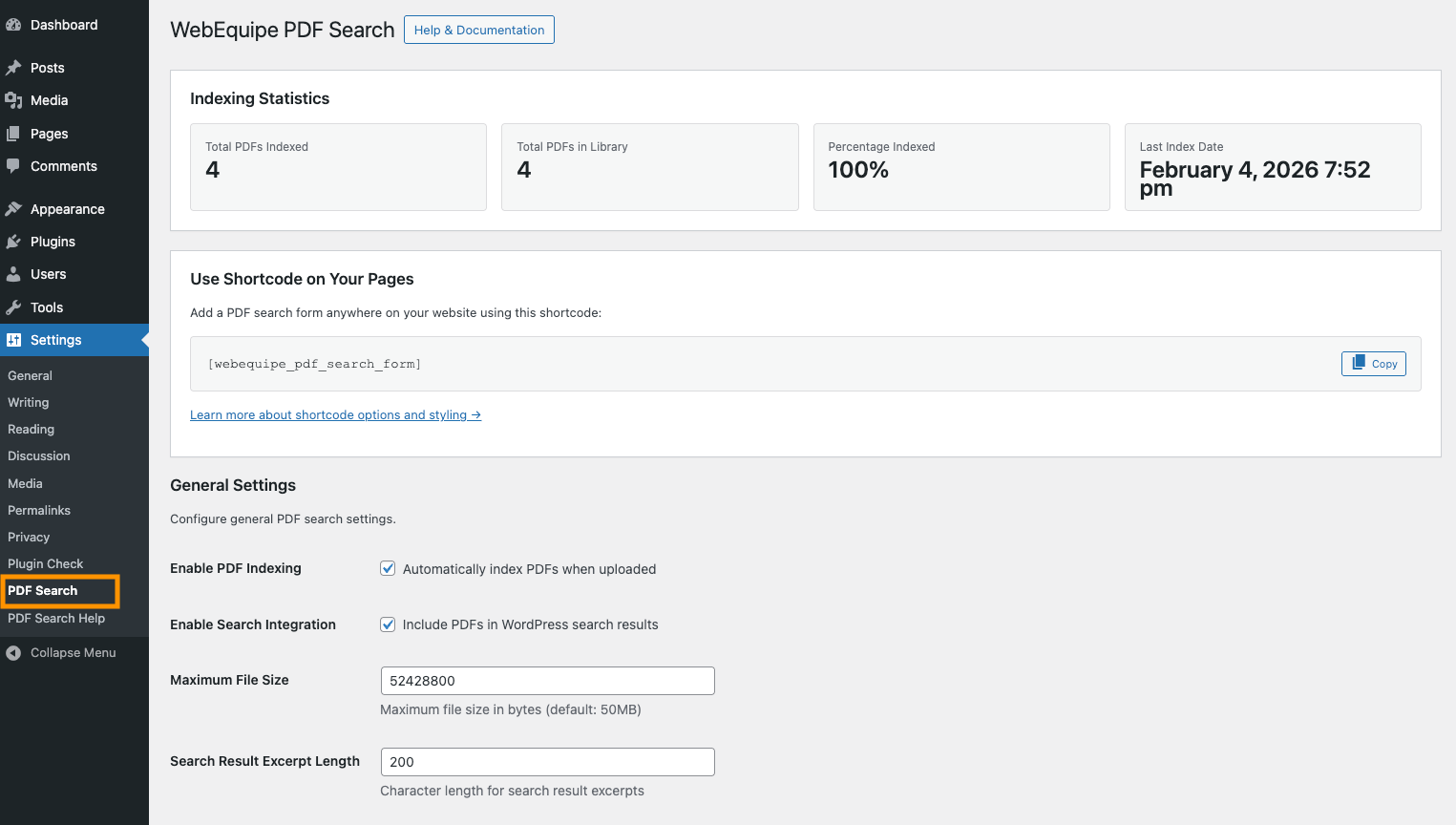
PDF Search Dashboard – Indexing Overview. View total PDFs, indexing status, completion percentage, and last index run at a glance.
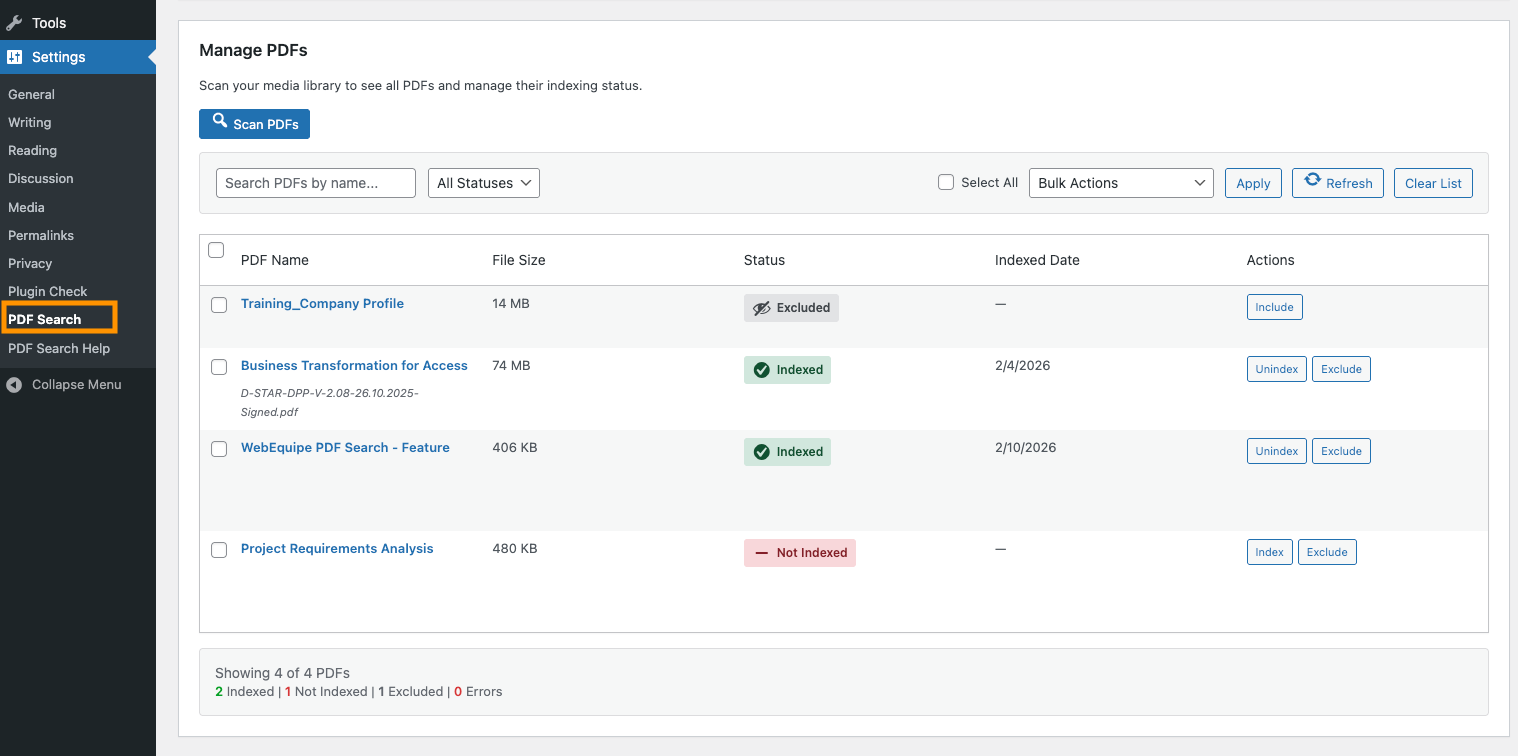
Manage PDFs – Index, Unindex, or Exclude Documents. Easily control which PDFs appear in search using bulk actions and status filters.
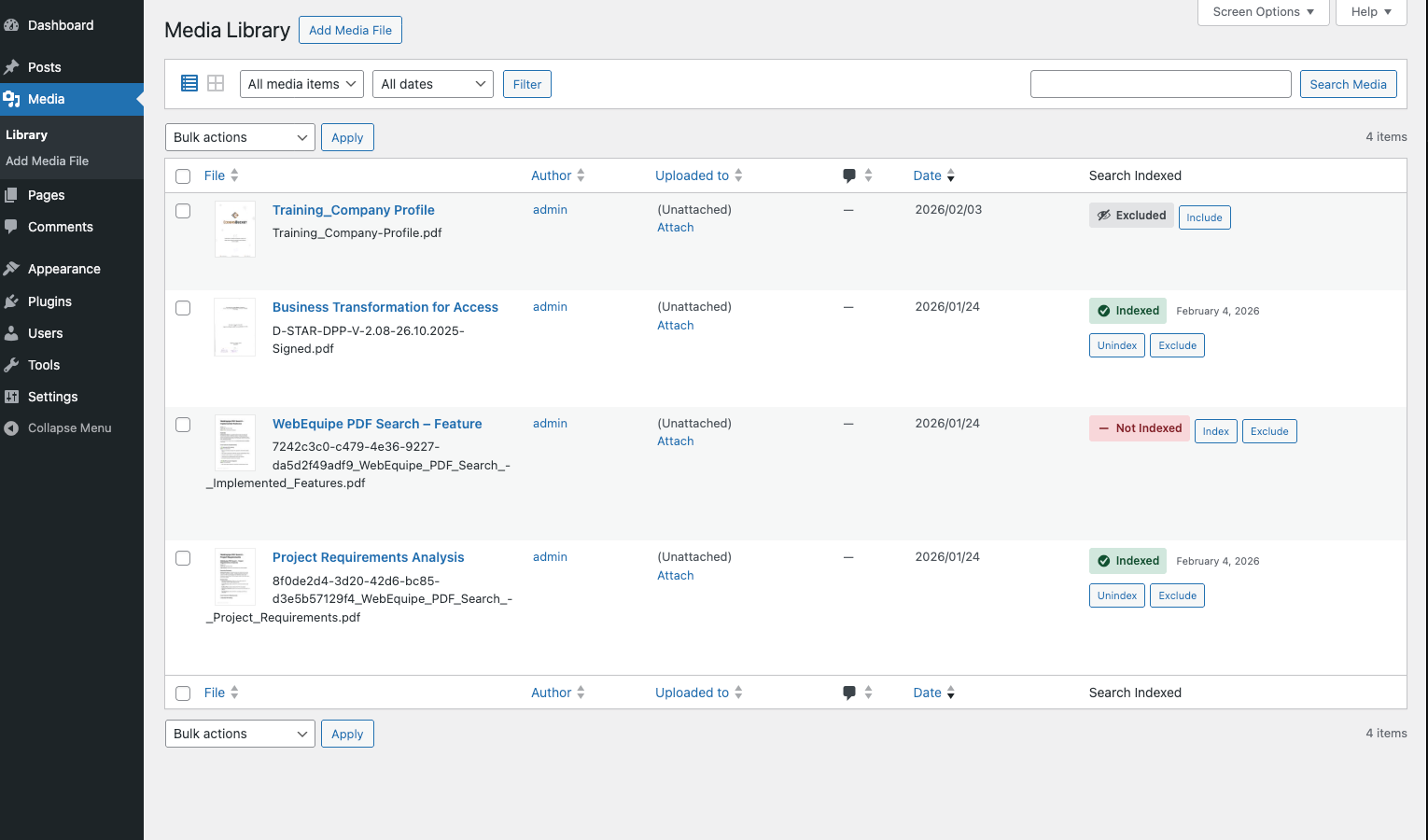
Media Library Integration – PDF Index Controls. Manage PDF search visibility directly from the WordPress Media Library.
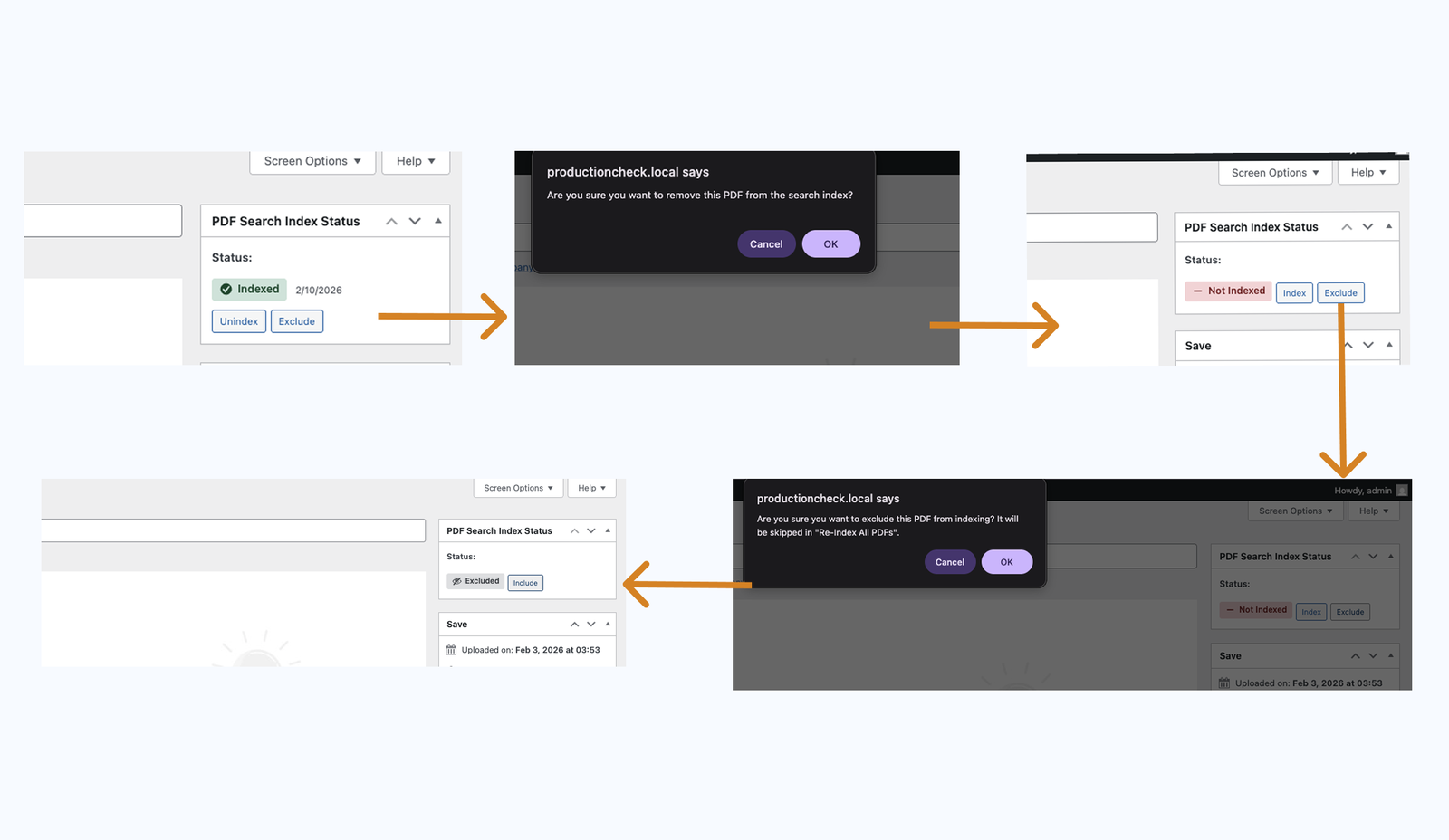
PDF Index Status Confirmation Flow. Safe confirmation prompts when indexing, un indexing, or excluding PDFs from search.
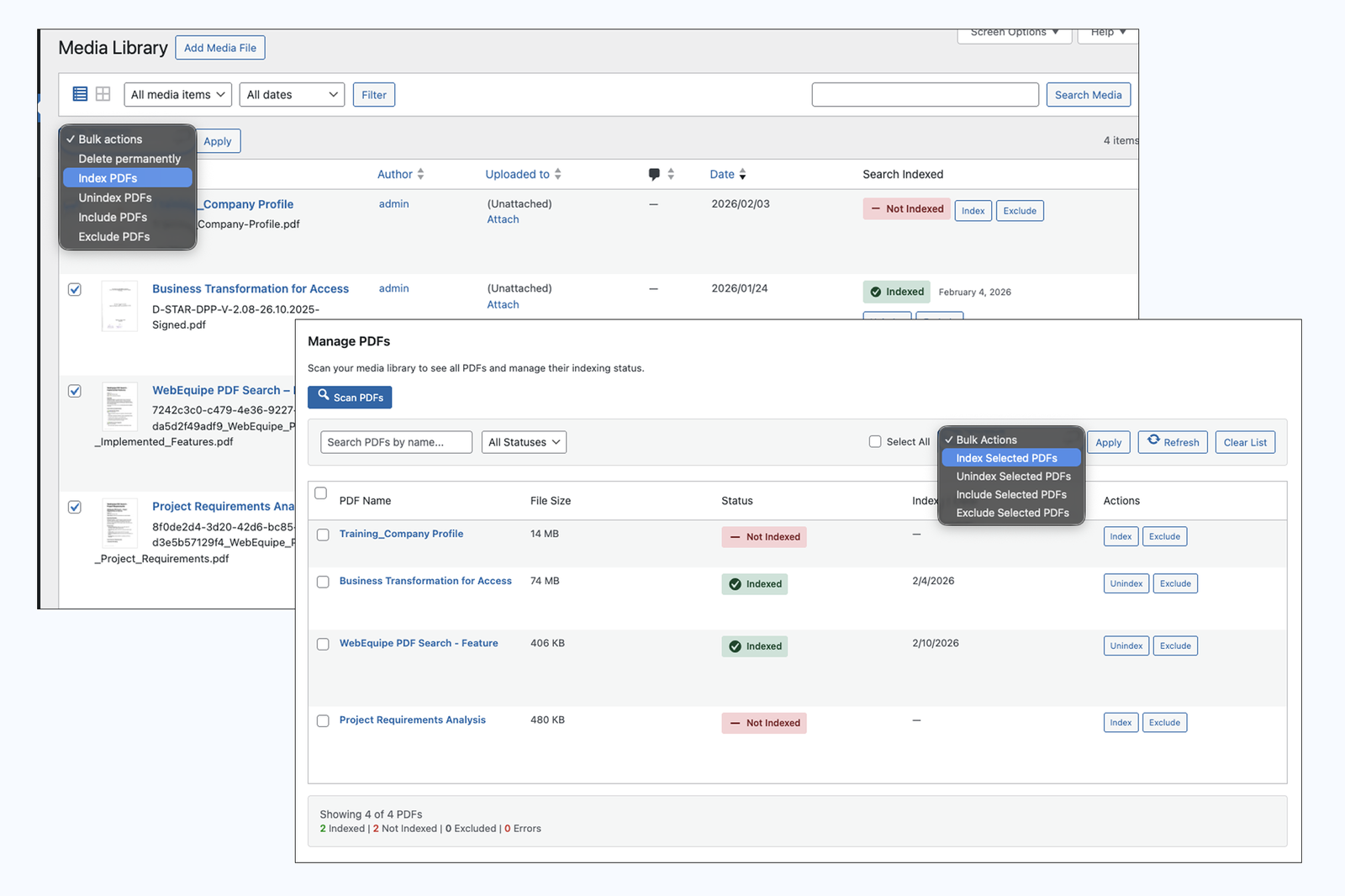
Bulk PDF Actions – Index Multiple Files at Once. Apply indexing actions to multiple PDFs simultaneously for faster management.
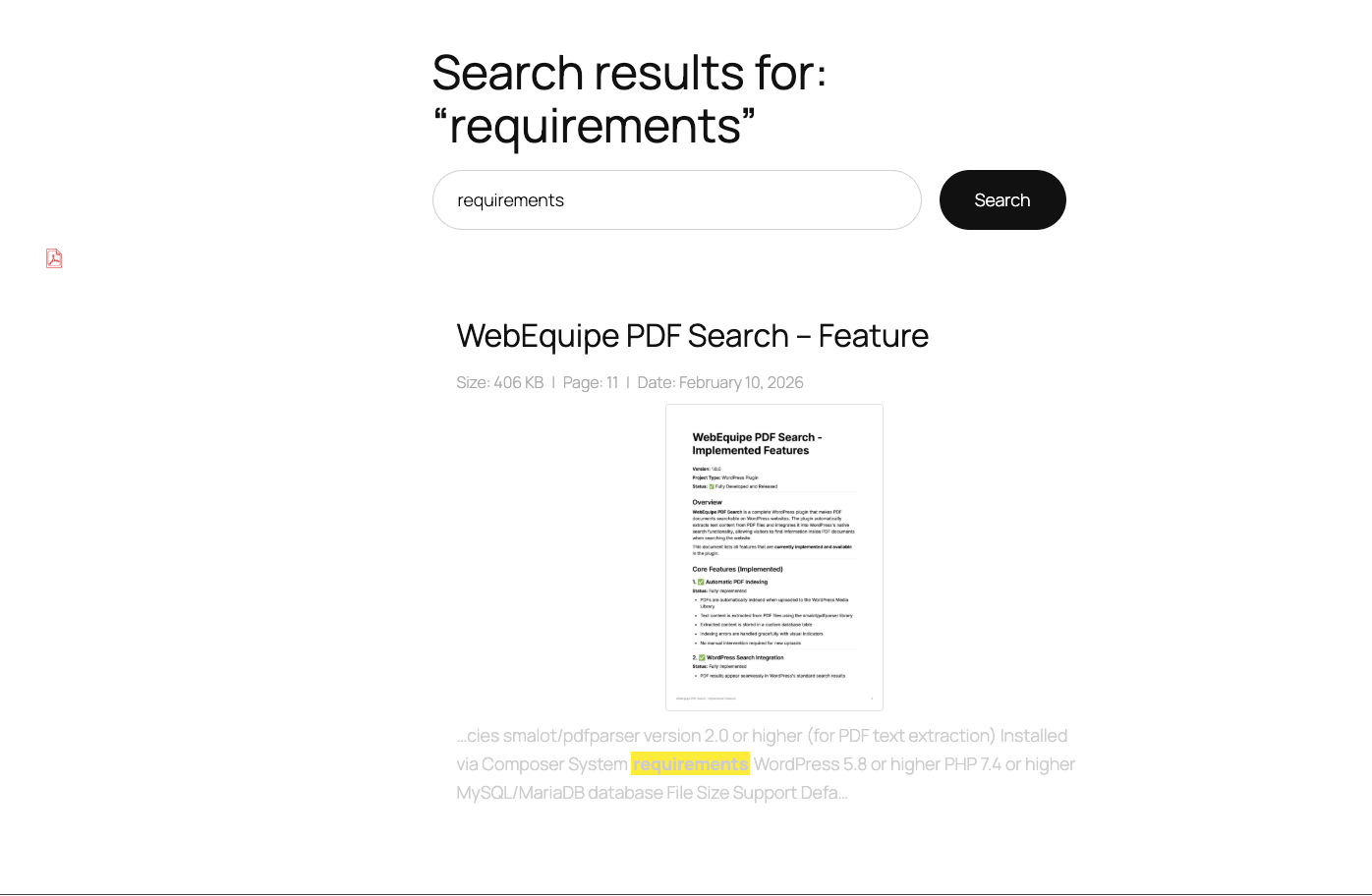
Frontend PDF Search Results. Visitors can search inside PDFs and view highlighted keyword matches with file details.
Only what matters for results and usability.
Find words inside the document, not just the file name.

Manage multiple PDFs instantly with one click.

Customize how results appear to visitors.

Decide visibility and behavior for each file.

Keep search fast even with large libraries.

Add a focused document search anywhere.
Documentation & setup
Enable fast text extraction and indexing for every document.
Signals active development and reassures users that WebEquipe PDF Search is continuously improving.
Planned integration to allow searching inside scanned or image-based PDFs using OCR processing.
Upcoming filters for file type, date, size, and custom metadata to refine PDF search results.
Insights into popular search terms, most accessed PDFs, and user search behavior.
Pre-built design presets for the PDF search form and results to match different themes easily.
Install Webequipe PDF Search, index your PDFs, and let visitors find what they need in seconds
IF you're stuck, facing and issue, or have a question about the plugin, send us a massage and we'll get back to you.

