

 Zero configuration
 WooCommerce Blocks ready
 Passwordless by design
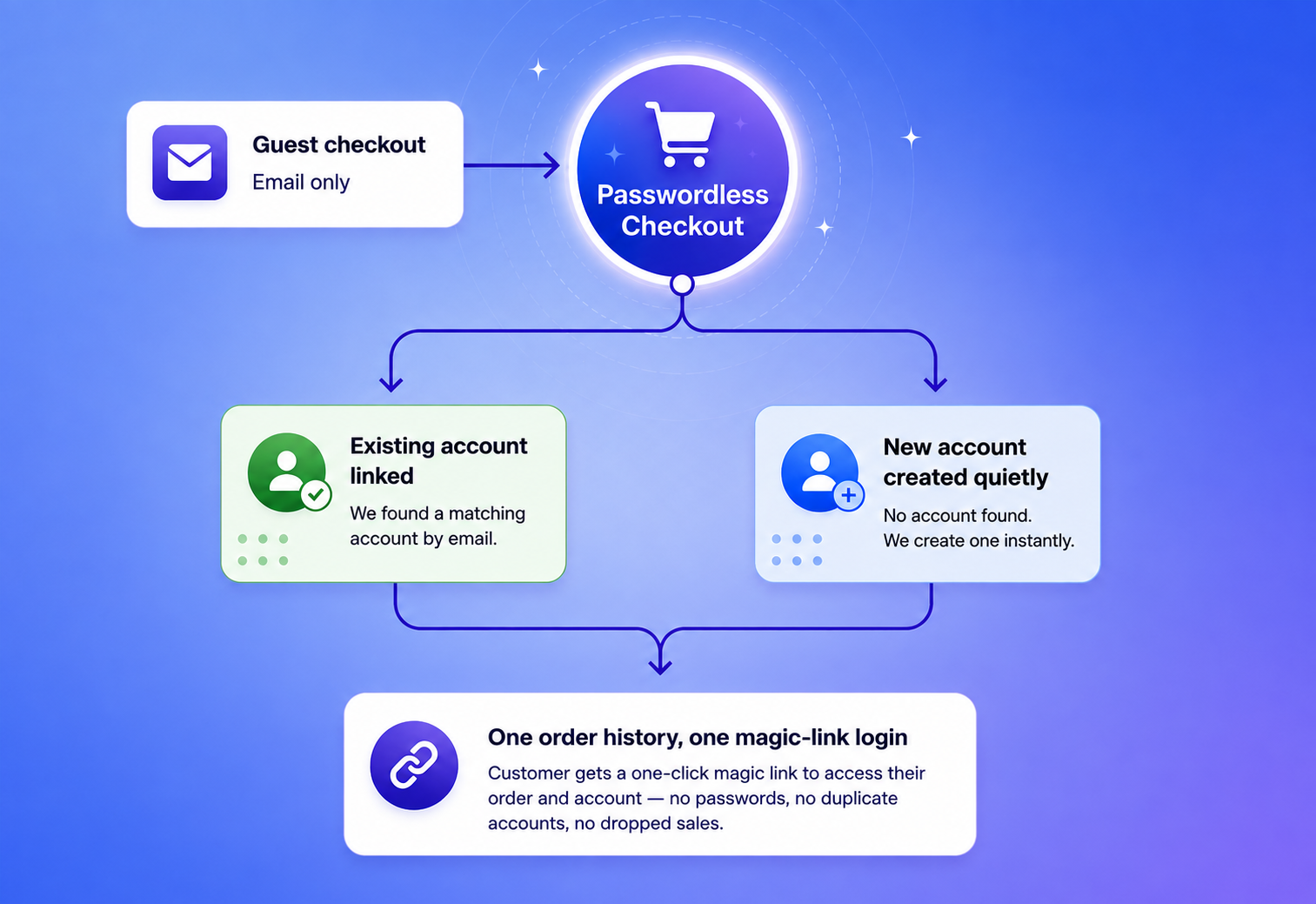
Passwordless Checkout removes the password field from WooCommerce. It matches every order to the right customer by email, quietly creates an account when one doesn’t exist, and lets people back in later with a one-click magic link — no passwords, no duplicate accounts, no dropped sales.
 Built for WooCommerce stores
 Classic & Blocks checkout
 Any WordPress theme
 GPL v2, no license key
Matches billing email to an existing account automatically Checkout completes with zero login prompts Return visits use a one-click magic link One account per email keeps order history clean Built-in rate limiting prevents magic-link spamNo settings to tune before it works. Activate the plugin and this is what happens on every single order.
01
Just an email address. No password field, no "create an account?" checkbox, on classic or Blocks checkout.
02
The billing email is checked against existing customers before any account is touched, case-insensitive, every time.
03
A match links the order to that customer. No match quietly creates a new account & no password to set, ever.
04
To view an account later, the customer requests a one-time login link by email and is in with one click.
Every flow below is handled automatically — no extra setup, no code, no support playbook required.


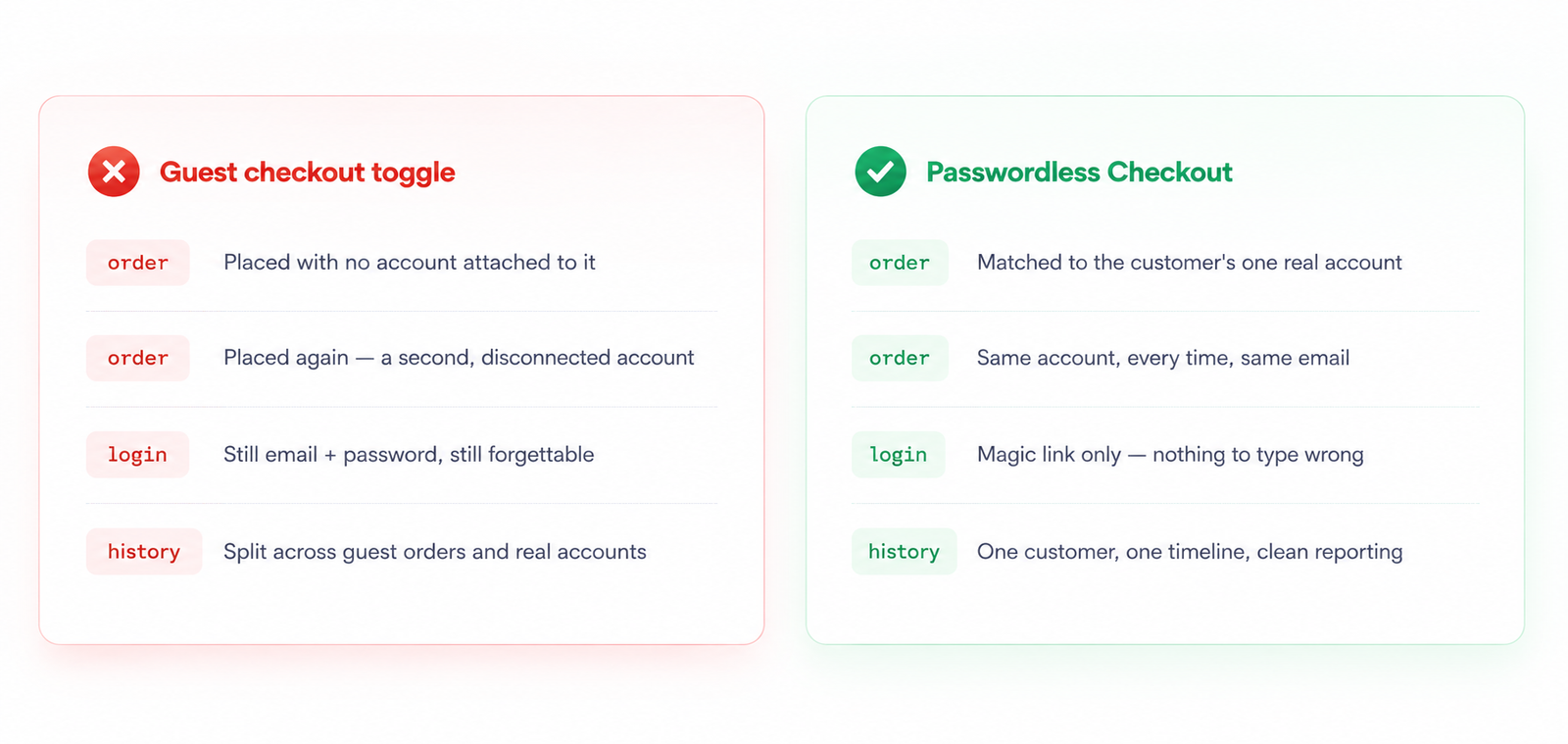
A "guest checkout" toggle only hides the password field. It doesn't stop the duplicate accounts, and it doesn't give customers a way back in. Passwordless Checkout handles both ends of the problem.
Screenshots go here — swapped in once the settings screens are ready.
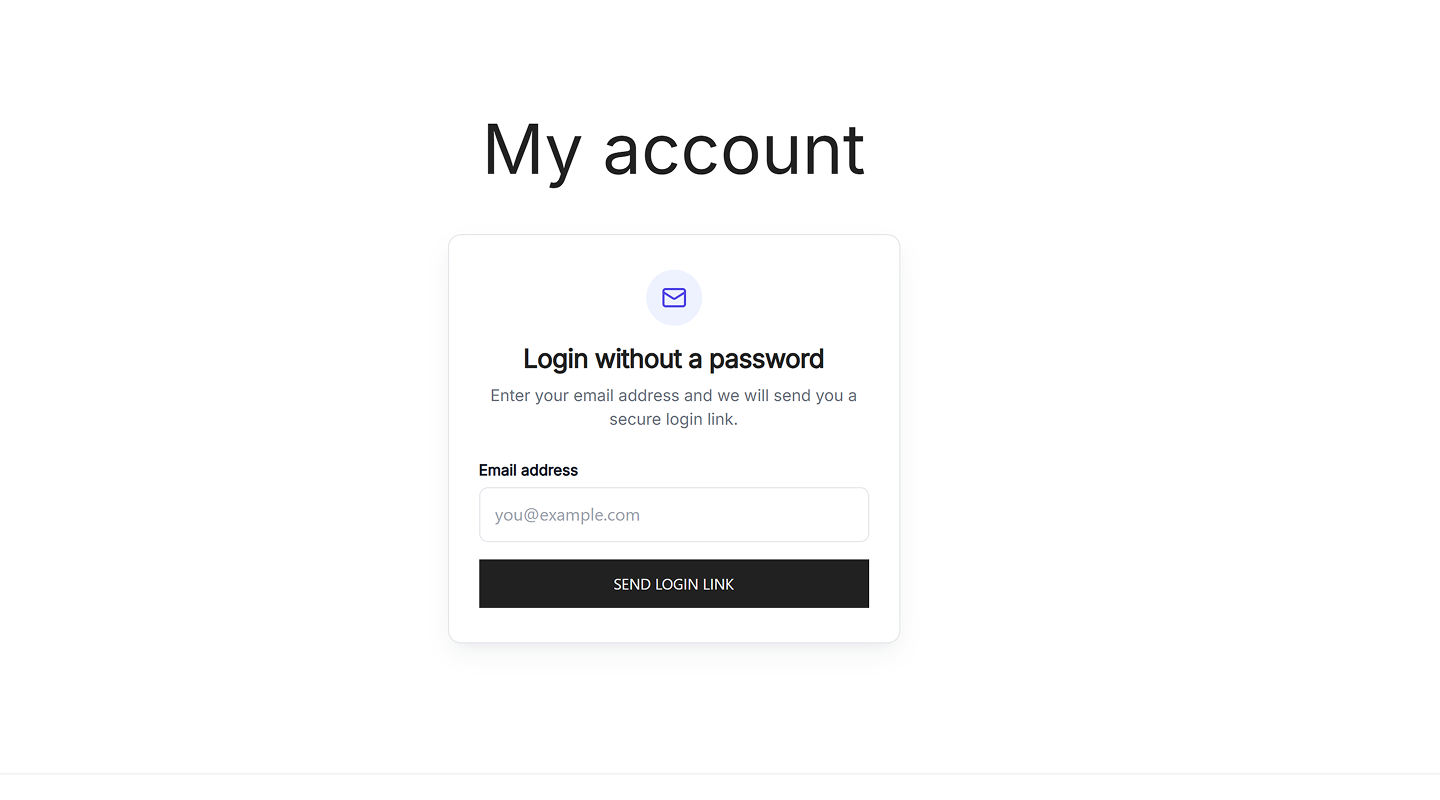
My Account login screen — customers enter only their email and get a secure login link; no password fields.
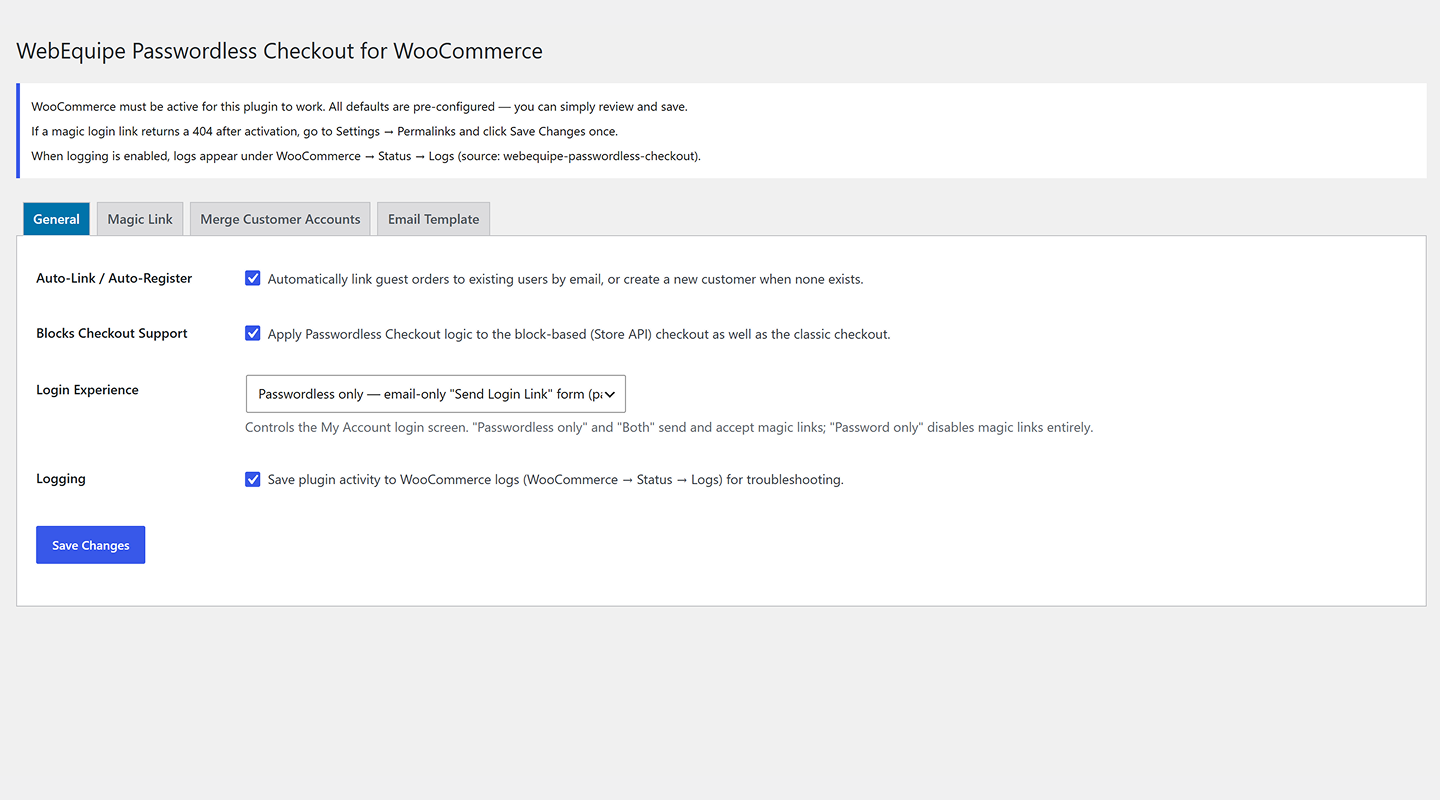
General settings — turn on auto-link/auto-register, enable Blocks checkout support, choose login experience mode, and toggle logging.
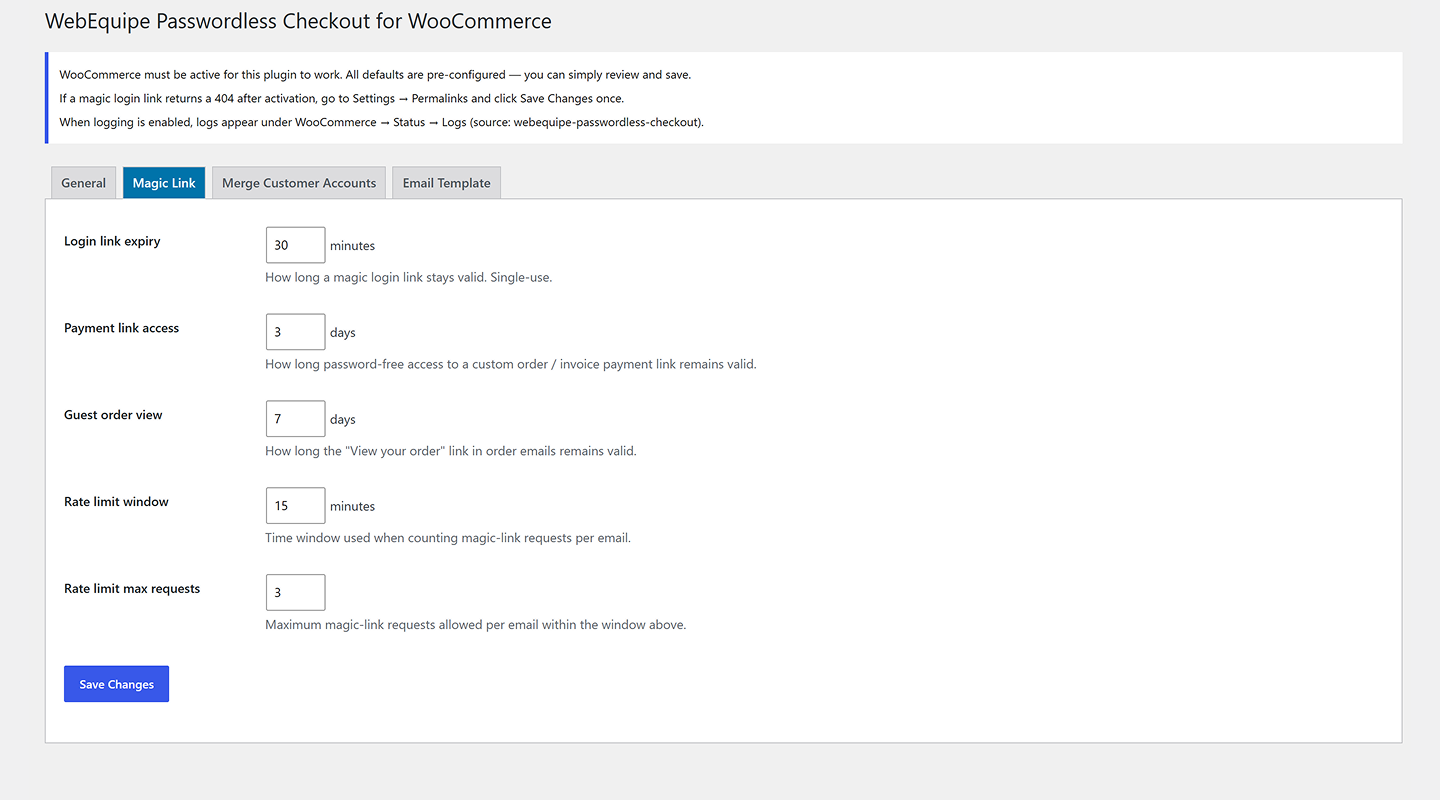
Magic Link settings — set login link expiry, payment-link access days, guest order-view days, and rate-limit rules.
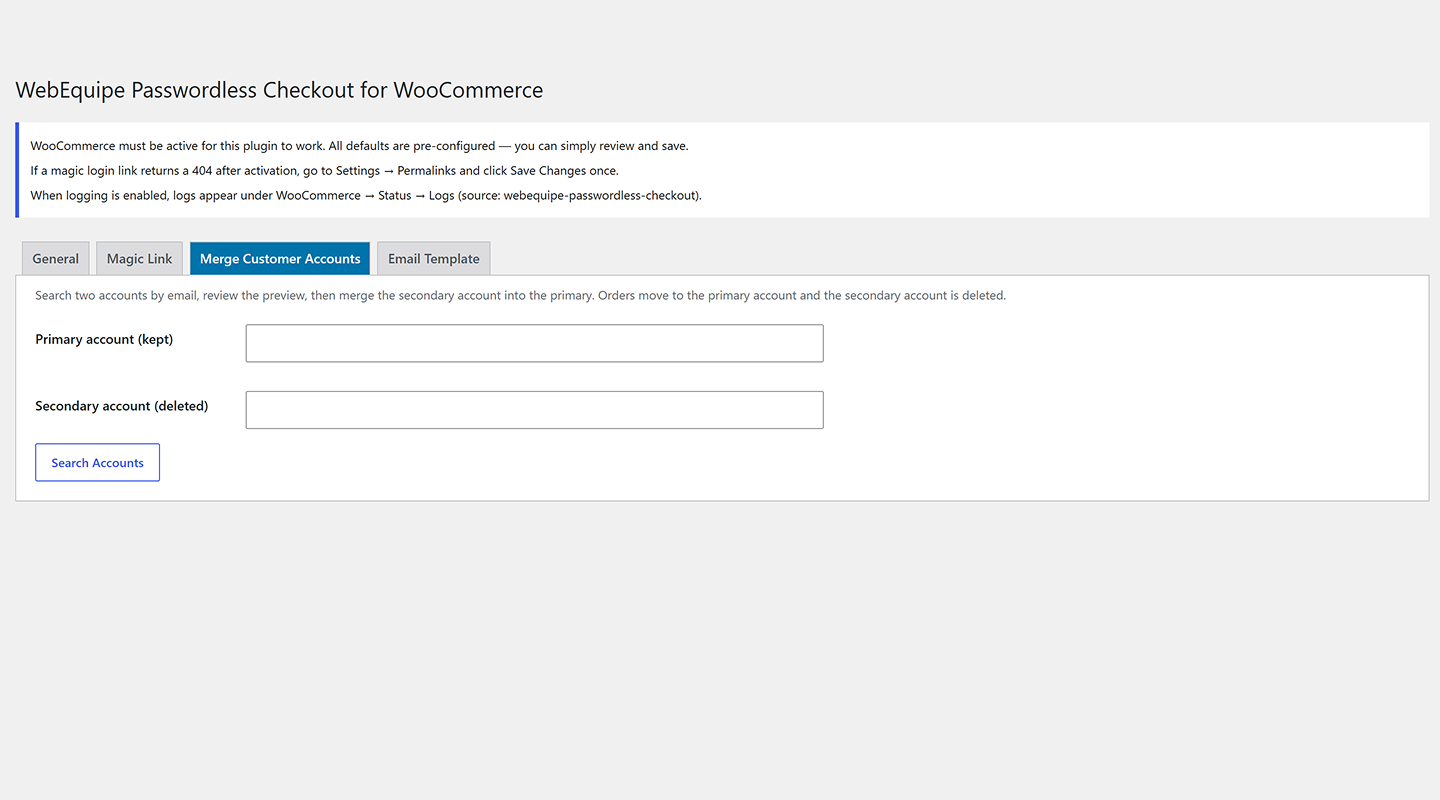
Merge Customer Accounts — search two accounts by email, review details, and merge the secondary account's orders into the primary account.
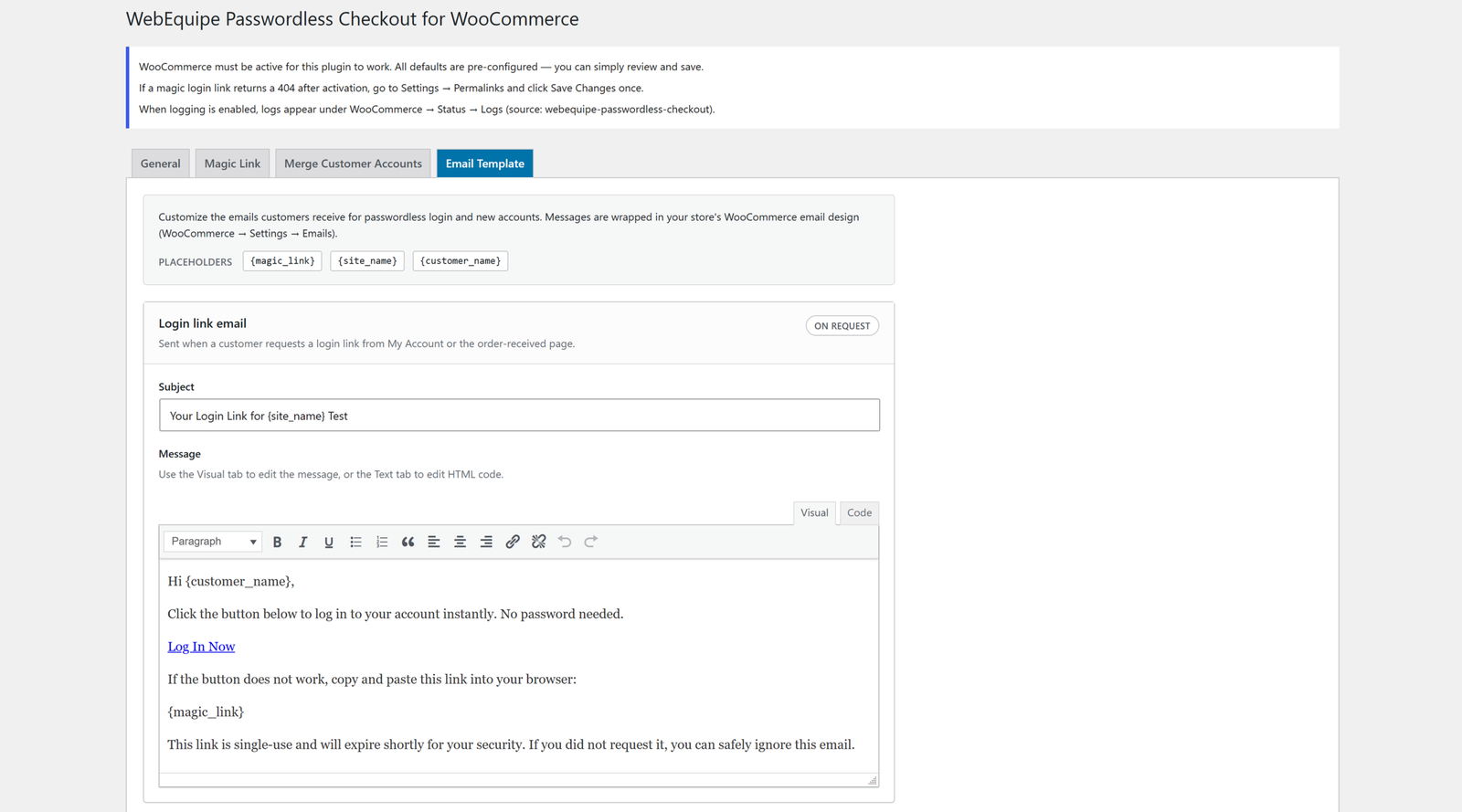
Email Template settings — customize the magic-link email subject and body using placeholders like {magic_link} and {site_name}.
No dashboards to babysit, no extra steps for the customer — just the parts that remove friction and keep data clean.

Billing email is checked before any account logic runs, and matched orders attach to the existing customer_id.

One account per email address, enforced automatically. Legacy duplicates can be merged manually any time.
My Account shows only an email field. One click on the emailed link and the customer is signed in — no password, ever.

The same email matching and account logic runs inside the Store API, so the Gutenberg checkout is covered too.

Order confirmation emails include a token-secured "View your order" link — no login needed, expires on a set schedule.

Magic link requests are capped per email address per time window, using WordPress transients — no external service.
Documentation & setup
Activate the plugin and it works immediately. Settings for link expiry, email wording, and the merge tool live under WooCommerce → Passwordless Checkout whenever you want to adjust them.
Free-version updates ship first; Pro features are further out.
"View your order" link ships in confirmation emails, with a resend flow for expired links.
Editable subject and body with a live preview, before it's sent to real customers.
Search, preview, and merge two customer accounts into one, with a full confirmation step.
Google/Facebook sign-in, 6-digit code login, and automatic bulk merging of legacy duplicates.
Install the free plugin — it starts working the moment WooCommerce is active.
Most asked questions
Both. The same email matching and account logic runs through the Store API for Blocks checkout, so behavior is identical whether a theme uses the shortcode or the block-based checkout
A typo creates a separate account, since the plugin can only match what’s actually entered. These don’t merge automatically — an admin can combine them later with the Merge Accounts tool under WooCommerce → Passwordless Checkout.
Magic links are only useful if the email actually arrives, so a working SMTP plugin is strongly recommended. Without one, WordPress’s default mail function can be unreliable on some hosts.
Login links expire after 30 minutes, payment links after 3 days, and guest order-view links after 7 days, by default. All three are adjustable from Settings → Magic Link.
Yes. Each email address is limited to 3 login-link requests per 15 minutes by default, enforced with WordPress transients — no external service required. Both limits are configurable.
No. The email check runs once before checkout completes and adds no visible delay. There’s no external API call involved in the core account-linking logic.
IF you're stuck, facing and issue, or have a question about the plugin, send us a massage and we'll get back to you.