
OCR is the feature that makes scanned PDFs searchable, but it’s also the one place where picking the wrong plan can actually cost you. Too few credits and your backlog sits half-indexed for months. Too many and you’re paying for headroom you’ll never touch.
Here’s how to actually work out what you need before you pick Starter, Pro, or Agency.
What Counts as an OCR Credit
One credit equals one scanned page processed. That’s it. Searching your site doesn’t use credits; only indexing does, and only for pages that need OCR in the first place.
If a PDF already has real, selectable text, it never touches OCR. Native extraction handles it locally at no cost to your quota. Credits only get used for the pages inside a PDF that are actually images, the kind you get from a physical document run through a scanner.
That distinction matters more than it sounds like it should. A lot of sites assume every PDF in their library will burn credits, when in practice most modern PDFs, the ones exported from Word or Google Docs, never need OCR at all.
The Two Kinds of Usage You’re Estimating
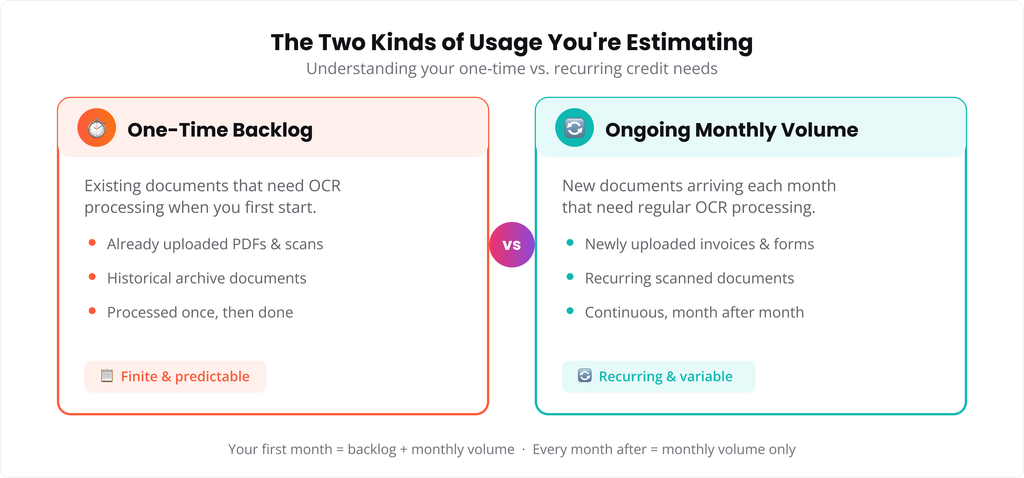
There are really two separate numbers here, and mixing them up is where people get their plan choice wrong.
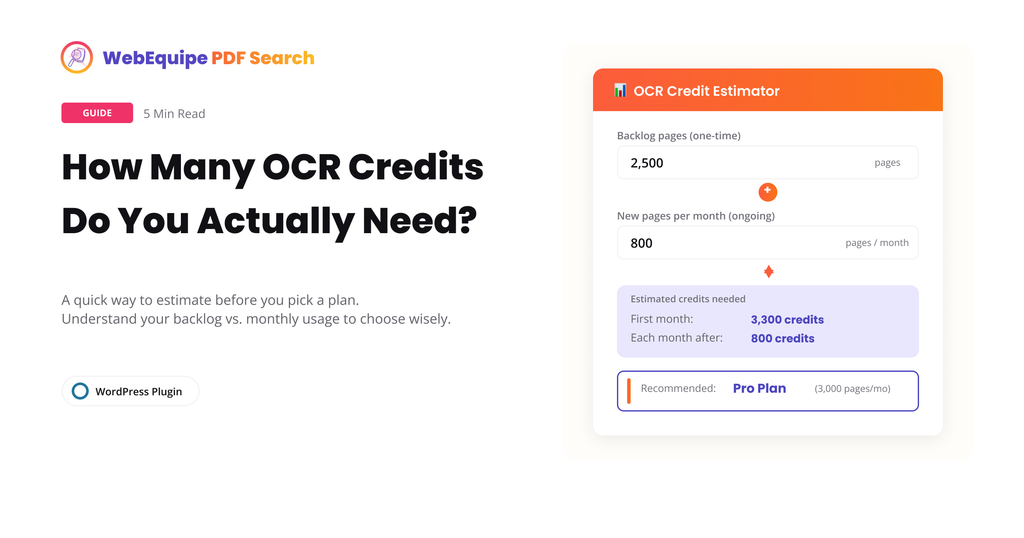
One-time backlog: This is your existing library. If you’re migrating years of scanned board minutes, old handbooks, or archived forms, that’s a fixed number of pages you’ll process once, then mostly leave alone.
Ongoing monthly volume: This is what comes in going forward, new scans, new uploads, whatever your site naturally accumulates each month. For most sites this number is much smaller than the backlog.
A site with a huge backlog but almost no new scanned uploads going forward has a very different need than a site that scans and uploads a steady stream of new documents every month, even if their backlogs are the same size.
A Rough Way to Estimate It
You don’t need to count exact pages to get a workable estimate. A few quick checks get you close enough:
- Open your Media Library and sort by file. Roughly how many of your PDFs would fail a “can I highlight the text” test, meaning they’re scanned rather than exported?
- For those, estimate an average page count. Old scanned reports and handbooks tend to run 10 to 50 pages. Individual scanned forms are often just 1 to 3.
- Multiply scanned-PDF count by average page count. That’s your rough backlog number.
- Separately, think about how many new scanned documents you’d realistically add in a typical month. Multiply by their average page count for your monthly estimate.
If your backlog is bigger than a single month’s quota, that’s fine. It just means the backlog processes over more than one billing cycle rather than all at once, and new uploads continue getting indexed in the meantime.
What Each Plan Actually Gives You
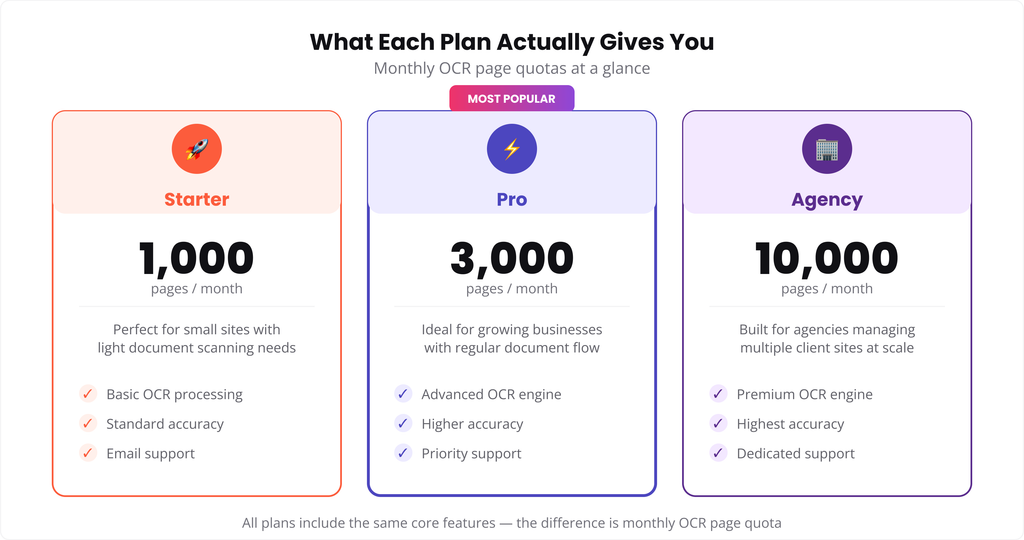
Starter comes with 1,000 OCR pages a month. That’s enough for a steady trickle of scanned documents, or working through a moderate backlog over a few months.
Pro comes with 3,000 pages a month. This is where most sites with an actual archive, old meeting minutes, historical records, a real backlog, land comfortably.
Agency comes with 10,000 pages a month, built for managing multiple client sites or a single site with a genuinely large scanned archive.
Whichever tier you’re on, unused credits don’t carry a special rollover; they reset with your billing cycle. New scanned PDFs that come in after you’ve hit your limit for the month simply queue and process once credits reset, they don’t get skipped or lost.
If Your Backlog Is Larger Than Any Plan’s Monthly Quota
Some sites, particularly universities, government archives, or long-running membership organizations, have backlogs in the tens of thousands of pages. If that’s you, working through it plan by plan over many months isn’t always the most practical route. It’s worth reaching out directly so we can talk through the best way to handle a large one-time archive rather than stretching it across a year of billing cycles.
A Simple Way to Decide
If you’re not sure which plan fits, this usually settles it:
- Mostly text-based PDFs with an occasional scanned document: Starter is likely enough.
- A real archive to work through plus ongoing scanned uploads: Pro is the comfortable middle.
- Multiple client sites, or a single archive in the tens of thousands of pages: Agency, or a direct conversation about the backlog.
Frequently Asked Questions
Does searching use OCR credits?
No. Credits are only used during indexing, specifically for pages that need OCR. Searching your site never touches your quota.
What happens if I go over my monthly limit?
New scanned PDFs queue instead of processing. They pick back up automatically once your credits reset at the start of the next billing cycle.
Do text-based PDFs use any OCR credits?
No. Native + OCR Fallback tries standard text extraction first. Only pages with no extractable text get routed to OCR.
Can I check how many credits I’ve used so far?
Yes, current usage and your monthly quota are both visible in PDF Search → Dashboard.
Can I upgrade mid-cycle if I’m running low?
Yes, upgrading takes effect immediately and gives you the higher plan’s quota right away.
What if my archive is bigger than even the Agency quota?
Reach out directly. Very large one-time archives are usually better handled as a separate conversation than stretched across many billing cycles.
Try It
A rough backlog and monthly estimate is usually enough to pick the right plan. If you’re still not sure after working through the numbers, get in touch and we’ll help you figure it out.