
If you run a WordPress site, you already know this feeling: someone fills out your contact form, WordPress saves it, maybe sends you an email — and that’s it. The data just sits there. You end up opening your inbox, copying the details by hand, and pasting them into Slack or a spreadsheet so your team actually sees it.
It’s the same with a WooCommerce order, or someone finishing a course, or joining a membership. WordPress knows it happened. It just doesn’t tell anyone.
We ran into this constantly while building sites for clients, and eventually got tired of writing one-off code for every single integration. So we built Webhook Manager to fix it properly, once.
What it does
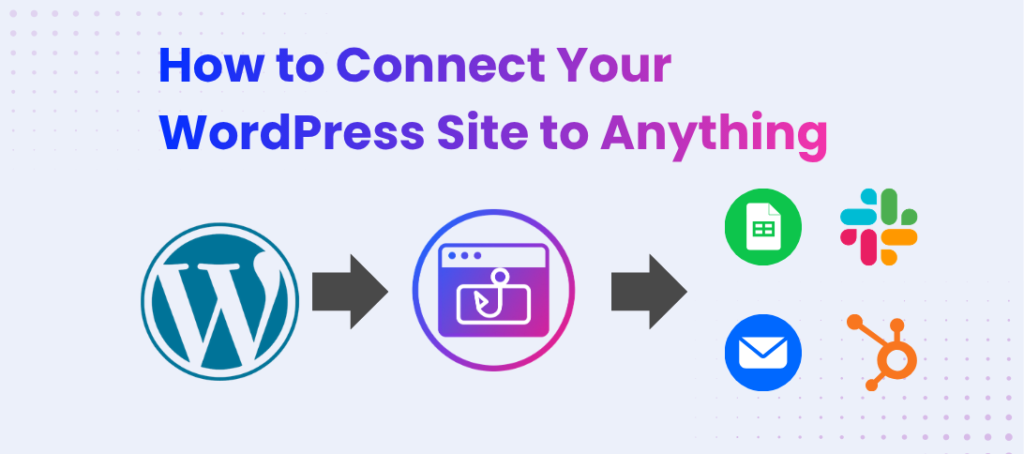
Webhook Manager watches for things happening on your site — a form submitted, an order placed, whatever matters to you — and sends that information wherever you want it to go. Automatically. No copy-pasting, no manual data entry, and you don’t need a developer to set it up.
It plugs into tools you’re probably already using, like n8n, Zapier, or Make, or really any URL that can receive data. If it happens on WordPress, this plugin can catch it.
What that actually looks like
Take a Contact Form 7 submission. Right now, it just sits in your inbox. With this plugin, it can show up in a Slack channel within seconds — your team sees the lead the moment it comes in, not whenever someone happens to check email.
Or WooCommerce orders. Hook it up to n8n and every new order can drop into a Google Sheet automatically — order total, customer email, whatever fields you care about — no plugin, no export, no manual updating.
Or membership and course platforms. Someone finishes a course, or upgrades their membership, and that can kick off a welcome email sequence in Zapier or Make without you lifting a finger.
None of this is hypothetical — these are the exact problems we kept solving manually for clients before we finally built something that just handles it.
Setting it up
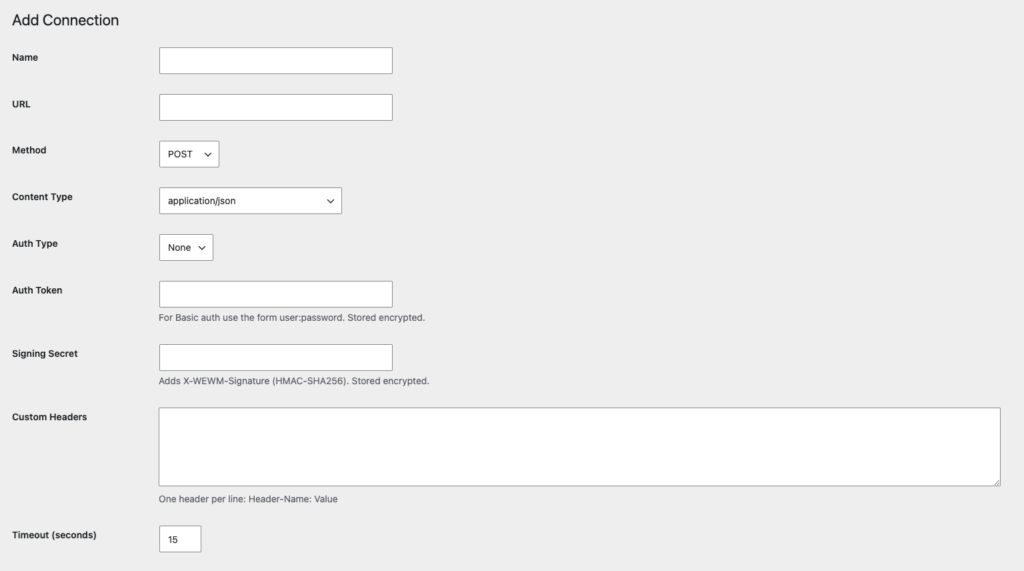
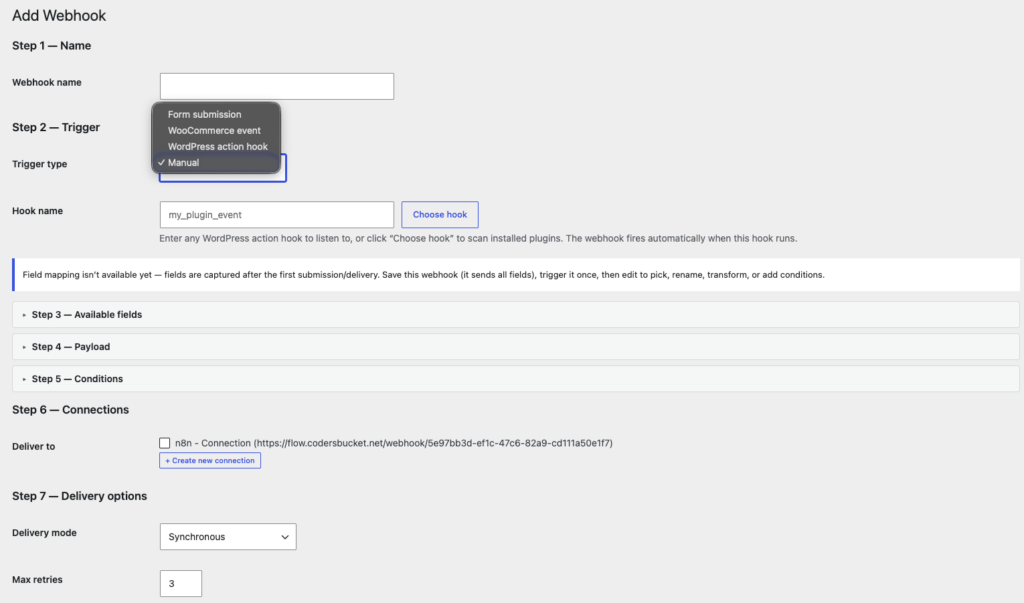
There’s no code involved. It’s really three decisions:
First, pick the event you care about — a form, an order, a signup, whatever it is.
Then tell it where that information should go — Slack, a spreadsheet, an email tool, anything you already use.
And that’s basically it. From then on, it just runs in the background. You set it up once and forget about it.
Why we built it this way
A lot of tools like this assume you’re comfortable with APIs, or that you’ll just hire someone to “integrate” your site. We didn’t want that. If you can click a few dropdowns, you can set this up — no code, no jargon, no developer required.
If you’ve ever thought “there has to be a way to automate this,” there is now.
Try it
Webhook Manager is free on the WordPress plugin directory. Install it, connect your first event, and watch your data start moving on its own.