
Why Your WordPress Search Can’t Find Your PDFs (And It’s Costing You Visitors)

Why Your WordPress Search Can't Find Your PDFs (And It's Costing You Visitors)

You know that feeling, right?
A visitor emails you: “Hey, I can’t find your pricing guide on your website.”
You pause. Because you know it’s there. You uploaded it yourself three weeks ago. It’s a beautiful 12-page PDF sitting right in your Media Library.
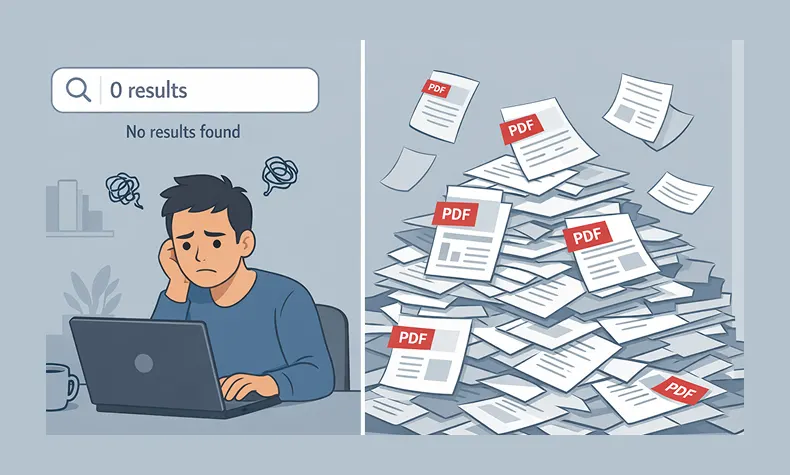
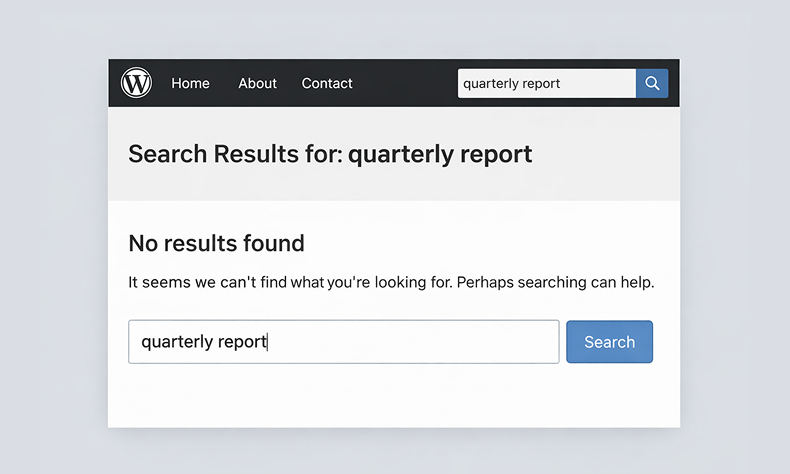
So you go to your own site and search for it.
Nothing.
You try different keywords. Still nothing. You end up manually digging through your Media Library, finding the file, and sending them the direct link.
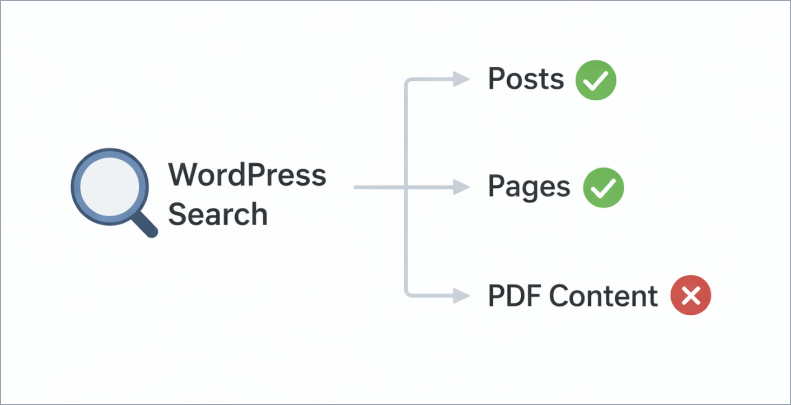
Here’s the thing that’ll really annoy you: WordPress search completely ignores what’s inside your PDF files.


The Problem Nobody Talks About

WordPress has fantastic search functionality. It can find a single word buried in a blog post from 2019. It’ll surface that random product description you wrote at 2am. It’s actually pretty impressive.
But PDFs? Nope. WordPress looks at the filename and stops there.
So if you named your file something like final – version – 2 – UPDATED. pdf (we’ve all done it), good luck having anyone find it through search.

The Problem Nobody Talks About search

Think about what this actually means for your site:
If you run a documentation site, your users are searching for answers that are literally on your website—they just can’t find them.
If you’re a school or university, students are looking for syllabi, assignment guides, or course materials that exist but are invisible to search.
If you manage an internal knowledge base, your team is wasting time asking questions that have already been answered in those HR handbooks, policy documents, or training guides you uploaded.
The content is there. The answers exist. But it’s like having a library where none of the books are in the catalog.


Why This Happens (The Boring Technical Bit)

Here’s what’s going on under the hood:
WordPress search works by indexing text content from your posts, pages, and custom post types. When you hit that search button, it’s looking through a database of actual words.
PDFs are files. Binary data. WordPress sees them the same way it sees image files—as attachments with metadata (filename, upload date, etc.) but not as searchable content.
To actually search inside a PDF, something needs to:

  1. Extract the text from the PDF file
  2. Store that text somewhere searchable
  3. Include it in search results
  4. Show relevant excerpts so people know what they’re clicking on

WordPress doesn’t do this out of the box. And honestly, why would it? Not everyone uploads PDFs. It’s not a universal need.
But if you do upload PDFs—especially lots of them—this is a massive blind spot.
Why This Happens (The Boring Technical Bit) in WordPress

What People Usually Try (And Why It Doesn’t Really Work)

When you first discover this problem, the solutions seem obvious:
“I’ll just rename my files with better keywords!”
Okay, but that only helps if someone searches for those exact words in the filename. And you can’t fit much information into a filename before it gets ridiculous: employee-handbook-2024-vacation-policy-sick-leave-benefits-insurance-401k.pdf
“I’ll add descriptions in the Media Library!”
Some themes and plugins let you add descriptions to media files. Great! Except… most WordPress search implementations don’t actually search media descriptions. You’re basically adding metadata that nothing reads.
“I’ll just create posts and link to the PDFs!”
This works! But now you’re maintaining duplicate content. Every time you update a PDF, you need to remember to update the corresponding post. Plus, you’re adding extra clicks—people have to find the post, then click through to the PDF.

None of these are actual solutions. They’re workarounds.
What People Usually Try (And Why It Doesn't Really Work)

What Actually Works: Making PDFs Searchable

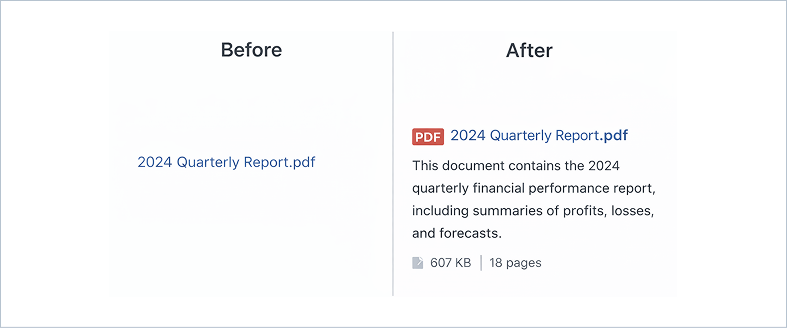
The real solution is extracting the text content from your PDFs and making it searchable, just like your blog posts.
Here’s what that looks like in practice:
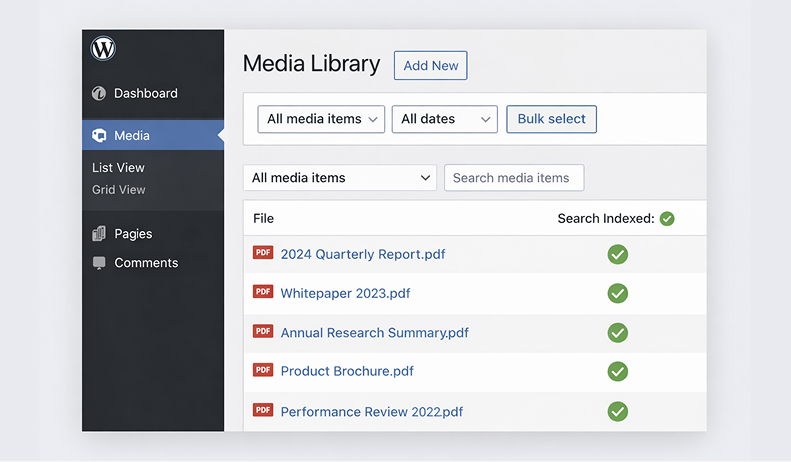
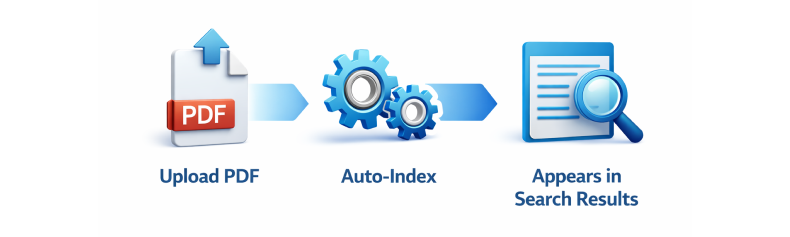
When someone uploads a PDF, the system automatically:

  • Opens the PDF and extracts all the readable text
  • Stores that text in your database
  • Indexes it for search (just like post content)
  • Links it back to the original PDF file

Then when someone searches your site:

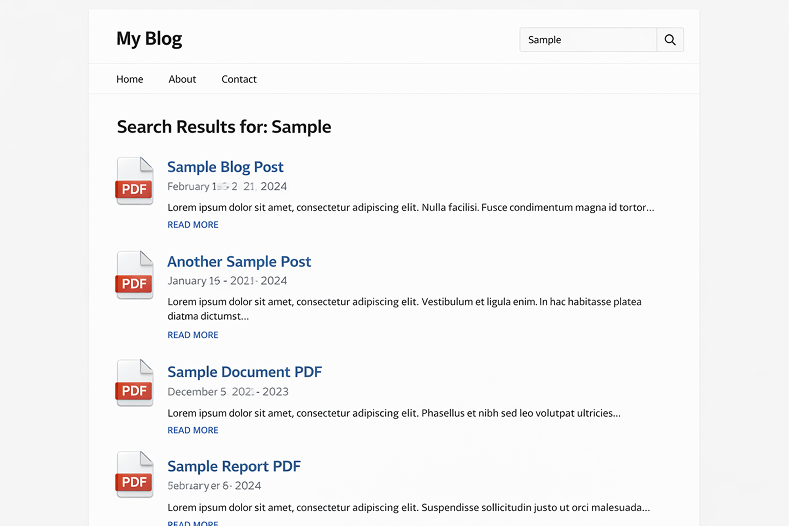
  • They get results from posts, pages, and PDFs
  • Search results show actual excerpts from inside the PDF
  • They can see if it’s relevant before downloading
  • Everything works through your normal WordPress search

No manual work. No duplicate content. No remembering to update things.
What Actually Works: Making PDFs Searchable - WordPress media

The Privacy Question Nobody Asks (But Should)

Here’s something most people don’t think about until it’s too late:
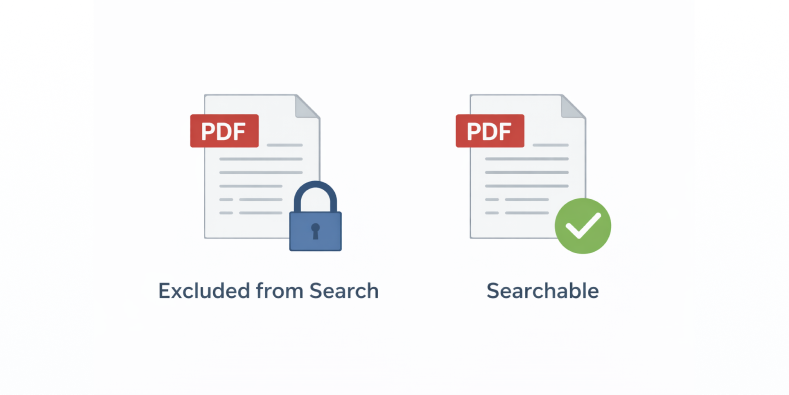
What about PDFs you don’t want people to find through search?
Maybe you have:

  • Internal financial documents that are uploaded but should stay private
  • Draft versions of public documents
  • Sensitive HR files
  • Client work that’s not meant to be discoverable

If you’re indexing everything, you need a way to exclude specific files.
This is where most “solutions” fall short. They’re all-or-nothing. Either everything’s searchable or nothing is.
What you actually need is control: “Index this, but not that. And if I re-index everything later, still skip the ones I marked as private.”
The Privacy Question Nobody Asks (But Should) searchable

What This Looks Like for Real Sites

Let me give you a real scenario:
A university department has 200+ PDFs on their site:

  • Course syllabi
  • Assignment guidelines
  • Reading lists
  • Research papers
  • Administrative forms

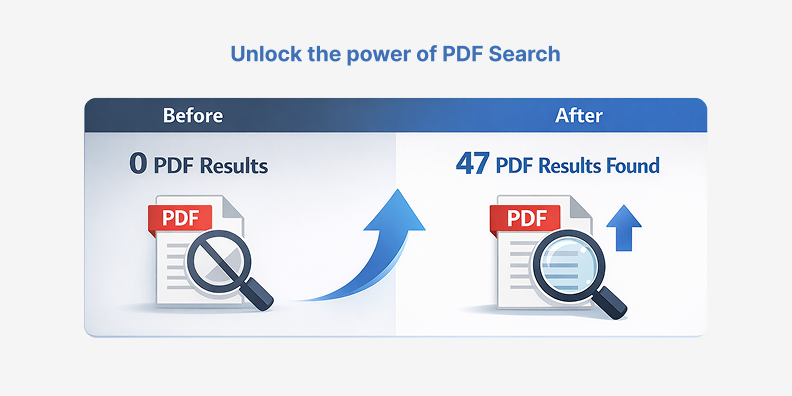
Before making PDFs searchable: Students email the department assistant 15-20 times per week asking where to find documents. The assistant spends hours responding with direct links.
After making PDFs searchable: Students find what they need through site search. Email requests drop to 2-3 per week (and those are usually for things that genuinely don’t exist on the site yet).
The content didn’t change. The documents were always there. The only difference is that now they’re findable.
What This Looks Like for Real Sites

The Setup (Easier Than You Think)

Here’s what you’d need to do to make this work:

  1. Install a PDF search solution – Something that handles the text extraction and indexing automatically
  2. Run initial indexing – Process your existing PDFs (one-time thing)
  3. Set exclusions – Mark any private PDFs that shouldn’t be searchable
  4. Done – New PDFs get indexed automatically on upload

That’s it. No ongoing maintenance. No manual updates.
The whole setup takes maybe 5 minutes. The initial indexing depends on how many PDFs you have, but it runs in the background—you can just let it do its thing.
The Setup (Easier Than You Think) My blog

Things to Look For in a Solution

If you’re evaluating options, here’s what matters:
Automatic indexing – You don’t want to manually trigger indexing every time you upload a file. It should just happen.
Exclusion controls – You need to be able to mark specific PDFs as “don’t index this” and have that setting stick even during bulk re-indexing.
Search integration – PDF results should appear in your normal WordPress search, not in some separate search interface.
Background processing – Large PDFs (50MB+) should be processed in the background so they don’t slow down your site or timeout.
File size support – Some solutions cap out at 10-20MB. If you have larger technical documents or image-heavy PDFs, you need something that handles bigger files.
Actual content extraction – This should go without saying, but the solution needs to extract the actual text, not just index metadata. Some plugins claim to make PDFs “searchable” but really just make the filenames searchable.


The Bottom Line

If you have PDFs on your WordPress site, they should be searchable. Period.
It’s not a nice-to-have feature. It’s basic functionality. Your visitors expect it. Your content deserves to be found.
The good news? This isn’t a hard problem to solve anymore. You don’t need to hire a developer or mess with complicated code.
You just need the right tool for the job.
The Bottom Line for pdf search

Make Your PDFs Searchable Today

WebEquipe PDF Search is a free WordPress plugin that automatically indexes your PDF content and integrates it with your site’s search. Install it, click one button to index your existing PDFs, and you’re done. Your visitors will finally be able to find the documents they’re looking for.
Download free from WordPress.org →

How to Increase Email Signups by 200% with Gamification

How to Increase Email Signups by 200% with Gamification

Let’s talk about something that’s probably frustrating you right now.

Your email signup forms aren’t working. You know they’re important. You’ve added them to your homepage, your blog posts, your sidebar. Maybe you’re even offering a discount or free download.

And still, barely anyone signs up.

You’re not alone. We see this all the time.

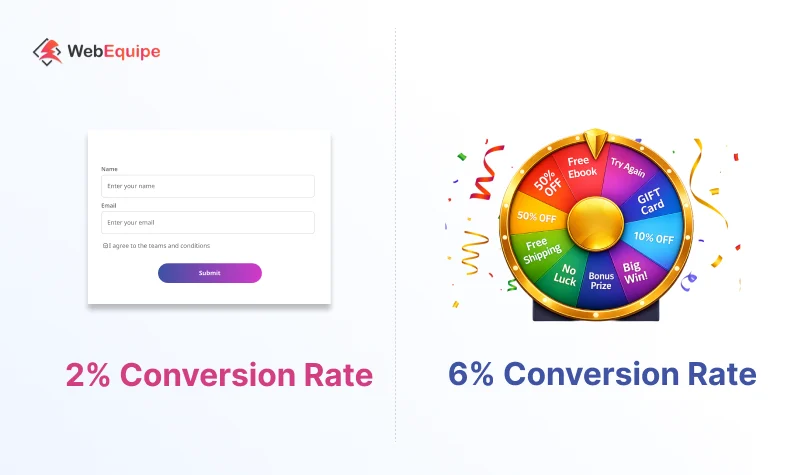
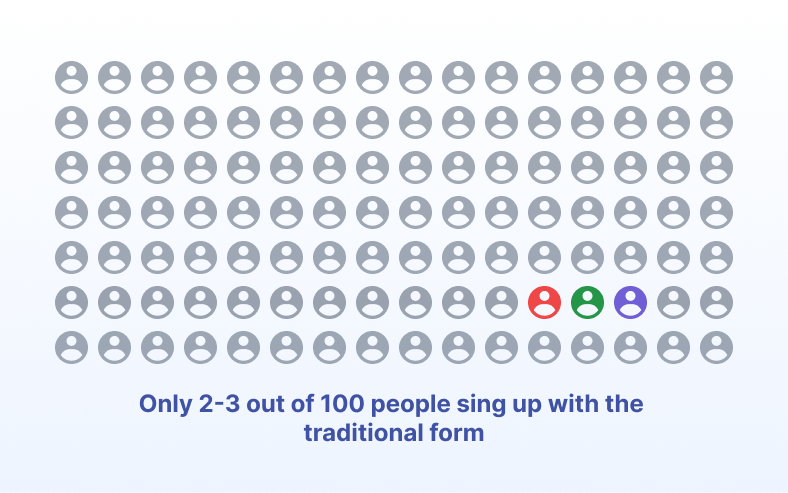
The average email popup converts at just 2-3%. That means 97 out of 100 visitors ignore it completely. They either close it immediately or just… don’t see it. Their brains have learned to filter out these forms.

But here’s what we’ve discovered after working with thousands of WordPress sites: change how you ask, and everything changes.

Sites using gamification see conversion rates of 5-7%. Some even higher. That’s triple the signups from the same traffic.

Let us show you why this works and how to do it right

Why Traditional Forms Are Failing

We’ve studied conversion data from over 5,000 websites, and the pattern is clear. Traditional email forms are dying.

Here’s what’s happening:

Form fatigue is real. Every website wants an email address. People are overwhelmed. They’ve learned to ignore signup forms the same way they ignore banner ads. It’s become background noise.

There’s no engagement. A form is transactional. “Give me your email, I’ll give you 10% off.” It feels like work. Fill this out. Type your email. Click submit. Boring.

People feel like they’re losing something. When someone types their email into a form, psychologically they’re giving something up. Their privacy. Their inbox space. It’s a sacrifice, not a gain.

And here’s the thing – this isn’t getting better. Conversion rates for traditional popups have dropped 40% in the last three years. What worked in 2020 doesn’t work in 2026.


The Psychology Behind Gamification

The Psychology Behind Gamification

We started exploring gamification two years ago because we noticed something interesting. Sites using game mechanics were getting results we’d never seen with regular forms.

So we dug into the research. Turns out, there’s solid psychology here.

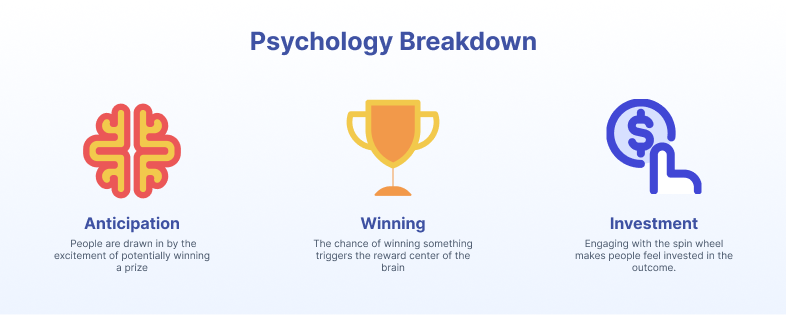
Your Brain on Anticipation

When you spin a wheel or scratch a card, your brain releases dopamine during the anticipation. Not when you win – during the wait.

That’s the same neuroscience behind why people check their phones constantly or why slot machines work. The not-knowing creates a little rush.

A regular form? No anticipation. No dopamine. Just another boring task.

Everyone Loves Winning

Even small wins feel good. Getting 5% off because you “won” it triggers a different emotional response than getting 5% off from a regular form.

Psychologically, you beat the odds. You got lucky. Sure, the business still profits, but your brain registers it as a victory.

With a traditional form, you’re trading. “I’ll give you my email for 10% off.” That’s a transaction. Not a win.

The Investment Effect

Once someone clicks “spin” or “scratch,” they’re psychologically invested. Walking away now feels like giving up a prize they already earned.

Think about it. The wheel is spinning. You’re about to see what you won. Are you really going to close that window? That would be walking away from your reward.

So people complete the process. They enter their email.

With a regular form, there’s no investment. Nothing to lose by clicking the X.

Real Results from Real Websites

Real Results from Real Websites

We don’t just build plugins and hope they work. We track everything.
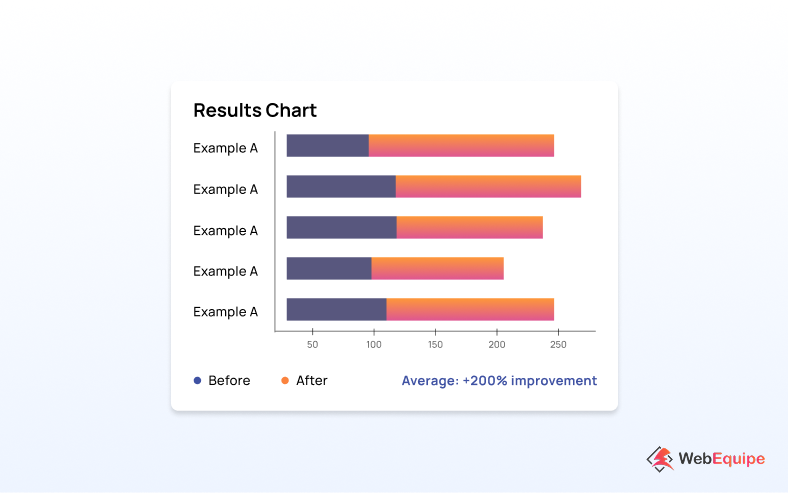
Here’s what we’re seeing from sites using our spin wheel:

E-commerce (fashion accessories)

  • Before: 1.8% signup rate
  • After: 5.4% signup rate
  • Result: 200% increase, 340 more emails monthly

Blog (recipes and cooking)

  • Before: 2.2% signup rate
  • After: 6.9% signup rate
  • Result: 214% increase, 470 new subscribers monthly

Service business (web design agency)

  • Before: 1.1% signup rate
  • After: 3.8% signup rate
  • Result: 245% increase, 160 more leads monthly

The pattern holds across industries. Most sites see between 180% to 250% improvement within the first month.

One store owner told us: “We thought it might be gimmicky. But we’re adding 400 emails a month now with the same traffic. That’s 400 people we can market to.”

How to Make This Work

How to Make This Work

After helping thousands of websites implement gamification, we’ve learned what works and what doesn’t.

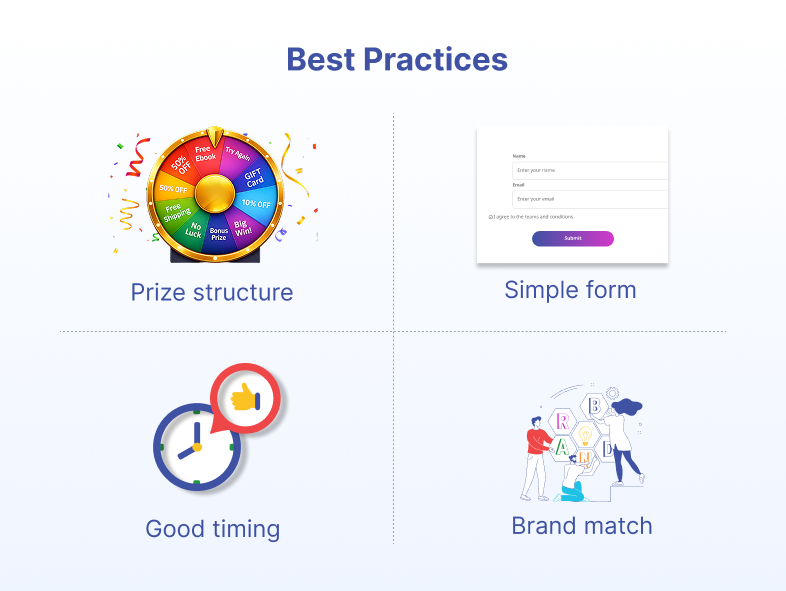
Start with Smart Prize Structure

Don’t make everyone win the same thing. That’s boring and expensive.
Here’s what converts best:

70% win small prizes – 5% off, free shipping on next order
25% win medium prizes – 10-15% off
5% win big prizes – 20-30% off, free product

This keeps it exciting (big prizes exist!) while staying sustainable (most people get small rewards).

And this is important: everyone should win something. Don’t include “Sorry, try again” segments. That kills the positive feeling immediately.

Keep It Simple

We see businesses make this mistake constantly. They ask for too much information.
Name, email, phone number, birthday, company name, job title…
Stop.

Just ask for email. That’s it.

We’ve tested this extensively. Every additional field you add drops your completion rate by 15-20%. Keep it simple. You can always ask for more information later.

Timing Matters

Don’t blast people with your wheel the second they land on your site. That’s annoying.

Wait 10-15 seconds. Let them see your content first. Let them understand what your site offers. Then show the wheel.

Or use exit-intent – show it when they move to close the tab. This catches people who were leaving anyway.

Match Your Brand

Your wheel should look professional and on-brand. If it looks cheap or doesn’t match your site’s design, people won’t trust it.

Use your brand colors. Include your logo. Make sure the fonts match your site. It should feel like part of your website, not a random popup.


Common Mistakes to Avoid

Common Mistakes to Avoid

We’ve seen hundreds of businesses try gamification. Some do it right. Others make mistakes that kill their results.

Mistake 1: Showing It Too Fast

Don’t pop up your wheel in the first 3 seconds. People haven’t even seen your content yet. They’ll close it reflexively.
Wait at least 10 seconds. Better yet, 15 seconds. Or use exit-intent.

Mistake 2: Complex Prize Structure

“Win up to 40% off!” with twelve different prize levels and confusing conditions.
Keep it simple. 5-8 clear prizes. Easy to understand at a glance.

Mistake 3: Looking Unprofessional

If your wheel looks like something from a sketchy carnival, people won’t participate. They’ll assume it’s spam or a scam.

Make it professional. Match your brand. Look trustworthy.

Mistake 4: Never Testing

Whatever you set up first probably isn’t optimal. Test different:

  • Timing (when it appears)
  • Prize amounts and distribution
  • Design and colors
  • Popup position

Change one thing at a time. Measure results. Keep improving.


When Gamification Works Best

Let’s be honest. This isn’t right for every business.

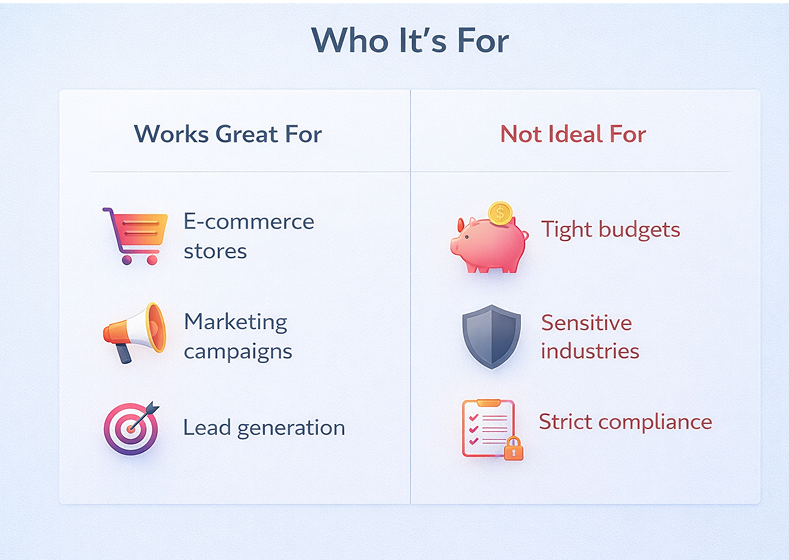
Gamification works great for:

  • E-commerce stores (best results we see)
  • Blogs selling products or courses
  • Service businesses with clear offerings
  • SaaS companies offering free trials
  • Membership or subscription sites

It’s less effective for:

  • Very serious B2B businesses (enterprise software, financial services)
  • Government or official websites
  • Sites where playfulness feels inappropriate

Know your audience. If your customers expect serious and formal, a spin wheel might not fit. But for most consumer-facing businesses, it works well.


Getting Started with WebEquipe Spin & Win

Getting Started with WebEquipe Spin & Win

This is why we built WebEquipe Spin & Win Wheel.

We saw businesses struggling with low email signups. We knew gamification worked. But most solutions were either expensive, complicated, or didn’t work well with WordPress.

So we built something different.

It’s free to start. No credit card required. No hidden fees for basic features.

It takes 10 minutes to set up. Install the plugin, create your wheel, add your prizes. That’s it.

It works on any WordPress site. Whether you’re running WooCommerce, a blog, or a service site, it integrates smoothly.

You control everything. Prize structure, timing, design, form fields. Full customization without touching code.

We’ve spent two years refining this based on feedback from thousands of users. The result is a tool that just works.

How to Start

  1. Install the plugin from WordPress.org (search “WebEquipe Spin Win Wheel”)
  2. Create your first wheel with 5-8 prizes everyone can win
  3. Set it to show after 10 seconds on your key pages
  4. Monitor your results for 2 weeks

If you see better results (most people do), keep it running. If not, adjust your prize structure or timing.

The plugin includes built-in analytics so you can see exactly what’s working.


Email signup forms haven't changed much in ten years. But people's behavior has changed dramatically.

Email signup forms haven’t changed much in ten years. But people’s behavior has changed dramatically.

What worked in 2015 doesn’t work in 2026. People are tired of boring forms asking for their email.

Gamification works because it makes the process more engaging. It taps into basic human psychology – anticipation, winning, investment.

The results speak for themselves. Sites using our plugin see an average of 200% more signups. Same traffic. Same offer. Just a better way of asking.

Is it right for your site? Probably. Most WordPress sites see significant improvements.

And with a free plugin, there’s no risk in testing it. Install it, run it for two weeks, check your numbers.

If it works (and for most sites, it does), you’ll have a steady stream of new email subscribers.

If it doesn’t, you spent 10 minutes finding out.

That’s a pretty good deal.


Start Growing Your Email List

Ready to see if this works for your site?

Download WebEquipe Spin & Win Wheel from the WordPress plugin directory. It’s free, takes 10 minutes to set up, and you’ll see results within days.

Or read our complete setup guide to learn exactly how to configure your first wheel for maximum conversions.

Join the 5,000+ WordPress sites already using gamification to grow their email lists faster.

Explore Other Products

Spin & Win Wheel - Product
Live
Plugin WordPress

Spin & Win Wheel

Spin-to-win gamified lead capture

  • Fully customizable spin wheel
  • Smart discount and reward system
  • Built-in email and lead capture
PDF Search - Product
Live
Plugin WordPress

PDF Search

Built for real sites with real documents

  • Full-text PDF content search
  • Bulk index / unindex / exclude actions
  • Dedicated short code search page
Hello Vacancy - Product
Live
AI Micro SaaS

Hello Vacancy

AI-powered free hiring platform

  • AI candidate matching
  • Automated hiring pipeline
  • Free modern ATS platform