
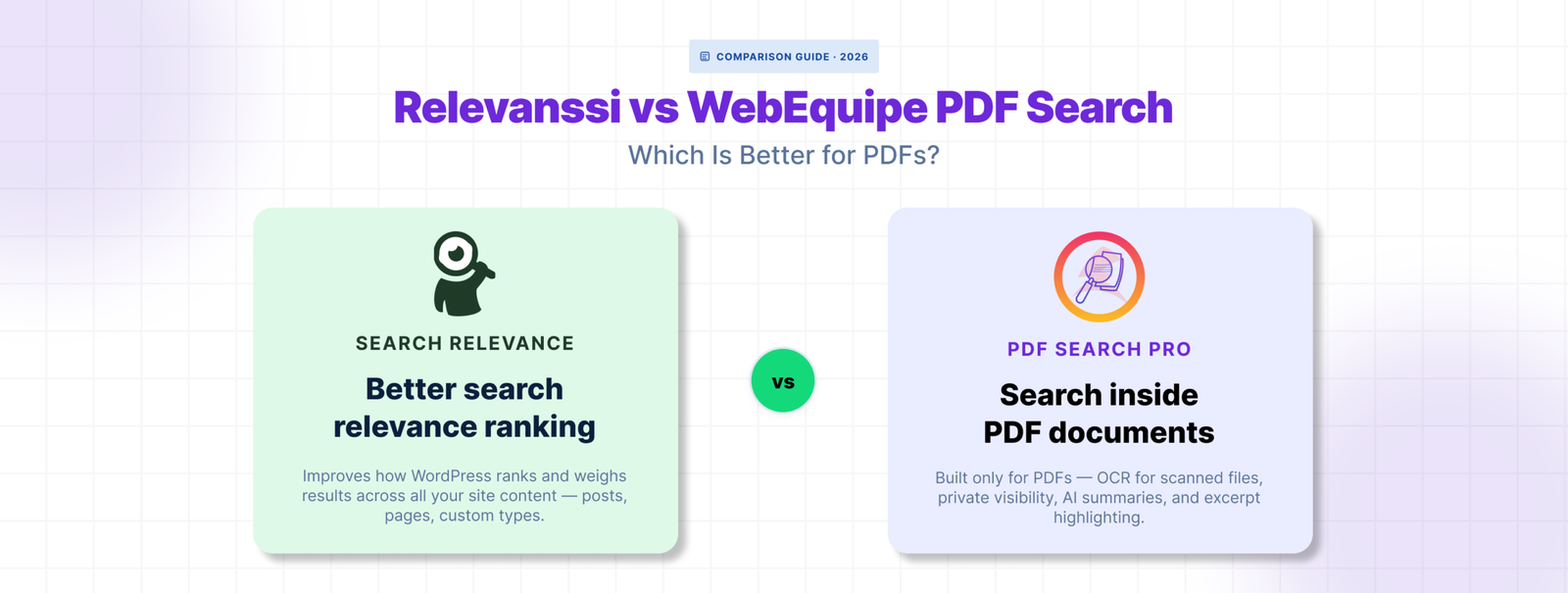
Relevanssi is one of the most popular WordPress search plugins for a good reason. It fixes the relevance problems that make default WordPress search frustrating — better ranking, fuzzy matching, AND-OR logic, highlighted excerpts. For sites where search quality matters, it’s a significant upgrade.
But if your problem is specifically that visitors can’t find content inside your PDF files, Relevanssi is solving a different problem. PDF support exists in the Premium version, but it’s not what the plugin was built around.
Here’s how the two compare for sites where PDFs are a primary concern.
What Relevanssi Does Well
Relevanssi replaces WordPress’s default search algorithm with a more sophisticated relevance engine. It weights matches differently depending on where the term appears — title, content, tags, comments — and lets you tune those weights. Search results feel more accurate because they are.
The free version already covers most of that. Fuzzy matching, AND search by default, search term highlighting in excerpts — all free. For a site where visitors struggle to find posts and pages because default search is too literal, Relevanssi free fixes most of it.
Premium adds PDF indexing, searching of user profiles and taxonomy descriptions, multi-site search, and a few other advanced features. It’s $99/yr and well maintained.
Where Relevanssi Falls Short for PDF-Heavy Sites
🟥 PDF support is Premium-only with no free tier
The free version doesn’t touch PDFs at all. If you want PDF content in search results you need Premium at $99/yr. For sites where PDF search is the only thing they’re after, that’s paying for a full search relevance engine to get document indexing.
🟥 No built-in OCR for scanned PDFs
Relevanssi Premium extracts text from PDF files directly. Scanned PDFs — image-based files with no text layer — can’t be indexed. There’s no OCR built in and no native path to index scanned documents without pre-processing them externally first.
For sites with historical archives, old meeting minutes, scanned handbooks, or government forms, this is a hard stop.
🟥 No private PDF search
Relevanssi doesn’t have a built-in mechanism for marking individual PDFs as visible only to logged-in users. Restricting document visibility requires a separate access control or membership plugin, and the integration isn’t always clean.
🟥 No per-file PDF management
Relevanssi doesn’t give you a dedicated screen for managing PDF index status. There’s no way to see which PDFs are indexed, which have failed, and why — at a per-file level. Diagnosing a PDF that isn’t showing up in search means working through general plugin settings rather than a document-specific workflow.
How WebEquipe PDF Search Compares
WebEquipe PDF Search is purpose-built for the PDF search problem. The free version indexes text-based PDFs, integrates with WordPress search, and gives you a full Media Library management screen with per-file status. No relevance tuning, no post/page search improvements — just PDF search done properly.
The Pro version adds OCR via Google Vision for scanned documents, Private PDF Search for logged-in-only visibility, and an Index Activity log that records every processing run with full error detail.
The two plugins are solving different problems. Relevanssi makes your whole site’s search better. WebEquipe makes your PDFs searchable — including the scanned ones.
Feature Comparison
| Feature | WebEquipe PDF Search | Relevanssi Premium |
|---|---|---|
| Text-based PDF indexing | ✓ Paid | ✓ Paid ($99/yr) |
| Scanned PDF / OCR | ✓ Paid (from $89/yr) | × |
| Private / restricted PDFs | ✓ Paid | × |
| Per-file status management | × | × |
| Index Activity log | ✓ | × |
| Free tier with PDF search | ✓ | × |
| Search relevance tuning | × | ✓ |
| Fuzzy matching | × | ✓ |
| Post / page search improvement | × | ✓ |
| Starting price (paid) | Free / $89/yr | $99/yr |
Using Both Together
These two plugins don’t conflict the way site-wide search replacements do. Relevanssi improves how WordPress searches posts and pages. WebEquipe adds PDF content to that search.
Running both is a clean setup for sites that need better relevance across all content AND proper PDF search. Relevanssi handles the ranking and relevance layer. WebEquipe feeds PDF content into the same search results.
The one thing to watch: both plugins hook into WordPress search results. Test the combined output after activating both to make sure PDF results are appearing and ranked sensibly alongside post results.
Who Should Use Which
🟥 Use WebEquipe PDF Search if:
- Your main problem is that PDF content isn’t searchable at all
- You have scanned documents that need OCR
- You need to restrict certain PDFs to logged-in users
- You want to start free and only pay for what you need
🟥 Use Relevanssi if:
- Your search results feel irrelevant or miss obvious matches across posts and pages
- You need fuzzy matching, AND/OR logic, or weighted relevance tuning
- PDFs are a secondary concern and standard text-based documents are all you have
🟥 Use both if:
- You want better search relevance across your whole site AND proper PDF indexing with OCR and private search support
Frequently Asked Questions
Does Relevanssi support scanned PDFs?
No. Relevanssi Premium extracts text from PDFs directly. Scanned PDFs have no text layer so they can’t be indexed without pre-processing the files externally. WebEquipe PDF Search Pro handles scanned documents automatically with built-in OCR.
Is Relevanssi free version enough for PDF search?
No. PDF indexing is a Premium-only feature in Relevanssi. The free version doesn’t index PDF content at all. WebEquipe PDF Search indexes text-based PDFs at no cost.
Can Relevanssi and WebEquipe run on the same site?
Yes. They complement each other well — Relevanssi improves relevance for posts and pages, WebEquipe handles the PDF-specific workflow. Test the combined search output after activating both to confirm PDF results appear correctly.
Which is better for a membership site with restricted PDFs?
WebEquipe PDF Search Pro. Private PDF Search lets you mark individual files as visible only to logged-in users without needing a separate access control plugin. Relevanssi doesn’t have an equivalent feature.